What Is Linux? Complete Beginner Guide to Architecture, Commands and DevOps
Learn Linux from the ground up with simple explanations of the kernel, distributions, filesystem, commands, permissions, services, networking, troubleshooting and DevOps use cases.
Linux operating system architecture and command-line conceptsContents
What is Linux?
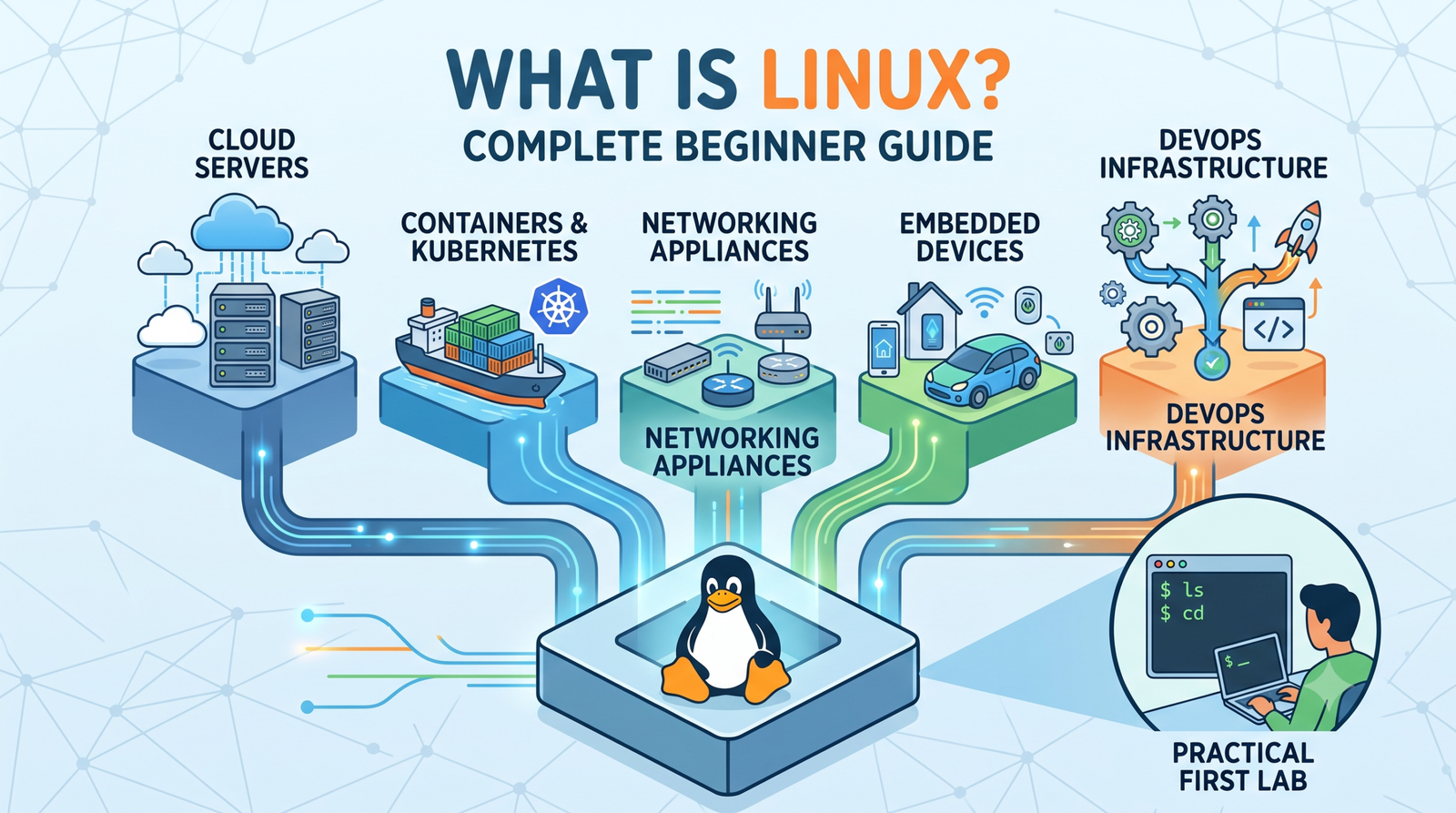
Linux is the foundation behind a large part of modern computing. It powers web servers, cloud virtual machines, containers, Kubernetes nodes, network appliances, embedded systems and developer workstations. Technically, Linux is the kernel—the core that manages CPU time, memory, devices, networking and filesystems. A Linux distribution combines that kernel with tools, libraries, package management, services and an optional graphical desktop.
Linux architecture
Layer
Purpose
Applications
Run user and server workloads
Shell and utilities
Let users and scripts interact with the system
System libraries
Provide reusable interfaces for applications
Linux kernel
Manage CPU, memory, devices, networking and filesystems
Hardware
Provide physical computing resources
Linux architecture from applications down to hardware.
Linux distributions
Different Linux distributions package the same core ideas in different ways. Ubuntu and Debian use apt, RHEL-family systems such as Rocky Linux and AlmaLinux commonly use dnf, Fedora focuses on newer technologies, and Alpine Linux is popular for lightweight environments.
Distribution
Common use
Package tool
Ubuntu
Cloud, labs and general servers
apt
Debian
Stable servers
apt
RHEL
Enterprise systems
dnf
Rocky / AlmaLinux
RHEL-compatible servers
dnf
Fedora
Developer workstations
dnf
Alpine
Lightweight systems and containers
apk
Where Linux is used
Web and application servers
Cloud virtual machines
Docker hosts and Kubernetes nodes
Databases and CI/CD runners
Network appliances and embedded devices
Developer workstations
Linux filesystem basics
Linux uses one directory tree beginning at /. Important locations include /etc for configuration, /home for regular users, /var for logs and changing application data, /usr for programs and libraries, /dev for devices, /proc for process and kernel information, and /boot for boot files.
The useful habit is to ask a question first—Who am I? Where am I? Which OS and kernel are running? Is disk or memory under pressure?—and then choose the command.
Users and permissions
Linux is a multi-user system. The root account has unrestricted administrative control, while sudo is commonly used to elevate individual commands. Files and directories have an owner, a group and read, write and execute permissions. Understanding permissions is safer than running every command with sudo.
Example: understand chmod 640
permissions-example.sh
touch report.txt
chmod 640 report.txt
ls -l report.txt
The owner can read and write the file, the group can read it, and other users have no permission.
Processes, services and packages
A process is a running program. A service is usually a long-running background workload managed by a service manager such as systemd. Use ps and top for processes, systemctl for services and journalctl for logs. Linux distributions install software from trusted repositories using package managers such as apt or dnf.
Example: check why a service is not running
service-check.sh
systemctl status ssh
journalctl -u ssh --since today
First inspect the service state. If it is failed or restarting, read the journal for the same service. Look for the first meaningful error rather than changing several settings at once.
Networking basics
Start Linux networking by answering four questions: What addresses does this host have? Which route will traffic use? Can names be resolved? Can the destination service be reached? Common tools include ip addr, ip route, getent, ss and curl.
Example: diagnose network connectivity
network-check.sh
ip addr
ip route
getent hosts example.com
ss -tulpn
Work from the local machine outward: interface → route → DNS → local listening service. This makes network troubleshooting much easier to reason about.
Why Linux matters for DevOps
Linux is central to DevOps because a large share of server and cloud workloads run on it. Linux skills transfer directly to Docker, Kubernetes, CI/CD, cloud administration, automation and production troubleshooting.
Common beginner mistakes
Running every command with sudo
Using destructive commands before checking the target path
Forgetting that filenames are normally case-sensitive
Editing configuration without a backup
Changing networking remotely without recovery access
Installing software from untrusted scripts
Ignoring the first meaningful error in logs
Linux learning roadmap
Files and navigation
Text processing and pipes
Users, groups and permissions
Processes and services
Packages and repositories
Storage and filesystems
Networking and SSH
Logs and troubleshooting
Bash scripting and automation
Docker, Kubernetes, cloud and CI/CD
Frequently asked questions
Is Linux an operating system or a kernel? Technically, Linux is the kernel. In everyday usage, Linux commonly refers to a complete Linux-based operating system distribution.
Is Linux only command line? No. Linux supports graphical desktop environments. Servers are often administered through the terminal because command-line workflows are efficient, remote-friendly and easy to automate.
Which distribution should a beginner learn? Ubuntu is a practical starting point for cloud and DevOps learning, but the core concepts transfer to many distributions.
Key takeaway
Related Melochip guides
Continue from Linux fundamentals into practical administration, containers and Kubernetes with these Melochip guides.









No comments yet. Start the discussion.