Search articles, utilities, learning content, community Q&A, members, tags, and topics.
Start with
Search areas
Choose an area such as Articles, Utilities, Community Q&A, Learning, Members, or Tags & topics.
Local AIAI HardwareLarge Language ModelsLocal AIOllama
Article & Tutorial
Best Ollama Models in 2026: RAM, Storage and Use Cases
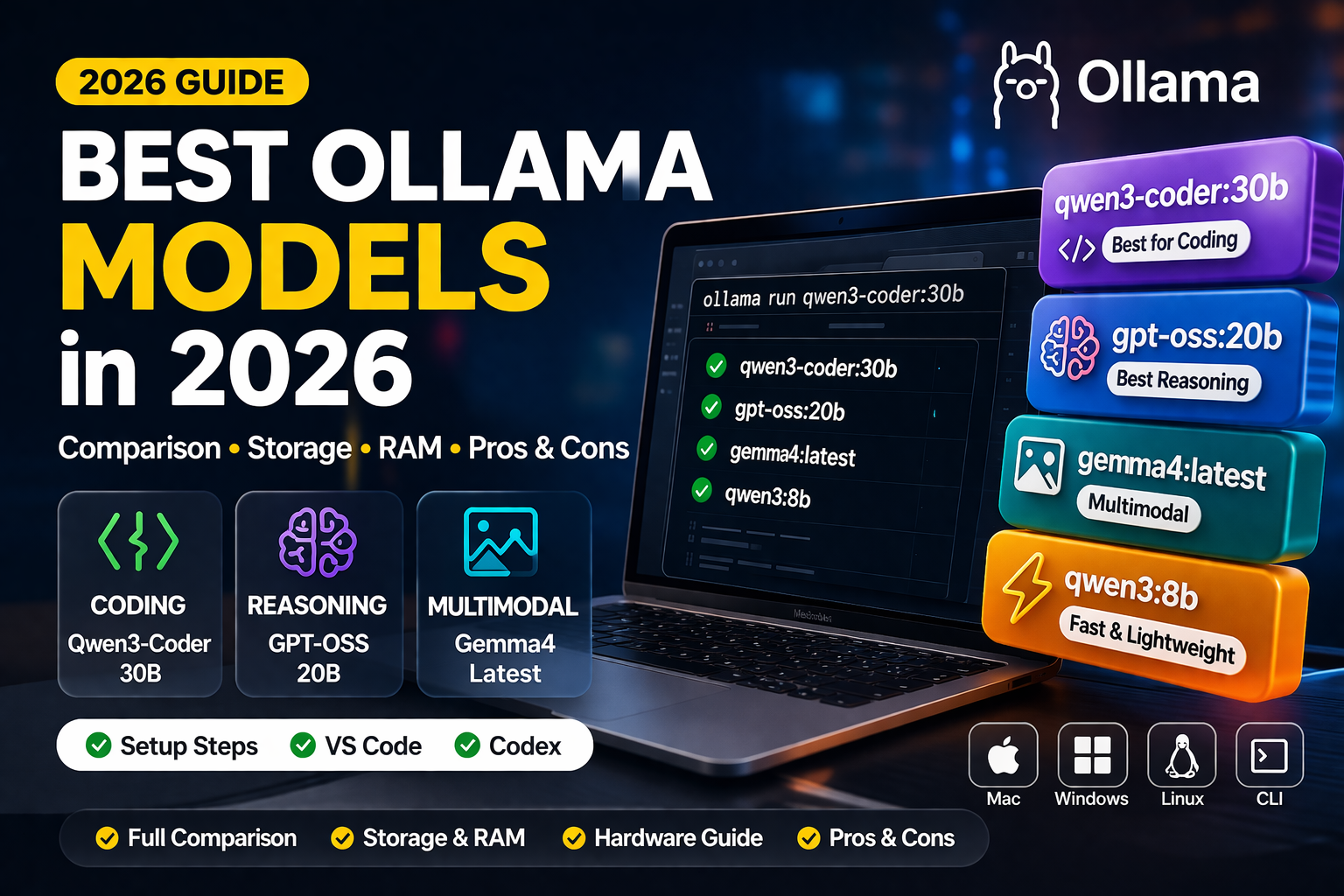
Compare 16 Ollama model families for general assistance, coding, reasoning, vision and RAG, with clear feature tables, pros, cons, download sizes and practical RAM planning guidance.
Local AI model selection with storage, memory, and performance comparisonsContents
The best Ollama model depends on the task and the computer running it. A larger model is not automatically the most useful choice: a smaller model that fits in memory and answers reliably can be a better fit for everyday work. This comparison covers 16 model families for general assistance, coding, reasoning, image understanding and document search.
Verified on 21 September 2026 against the official Ollama library and documentation. This is a practical selection guide, not a measured performance leaderboard. Features and package sizes come from the linked sources; pros, cons, use-case suggestions and RAM budgets are editorial assessments. Availability, tags and runtime support can change. Source numbers in the tables refer to the links at the end.
Different types of Ollama models
These categories overlap: one model can support reasoning, images and tools. Ollama runs the model; an application must still supply documents, tools, permissions and any external services. Retrieval-augmented generation (RAG) means finding relevant source material and giving it to a generative model before it answers. [19, 20, 21]
Model type
What it does
Main advantage
Main limitation
Example families
General-purpose assistant
Writes, summarizes, rewrites and answers text questions.
One model can handle several everyday tasks.
Broad ability does not guarantee specialist accuracy.
Llama 3.1, Llama 3.2, Qwen3.5
Coding specialist
Generates, explains and repairs code; some support coding-agent tools.
Task-focused option for software development.
Generated code still needs tests, review and security checks.
Qwen2.5-Coder, Qwen3-Coder, Devstral Small 2
Reasoning / thinking
Uses an additional reasoning stage for multi-step problems.
Useful candidate for logic, mathematics and planning.
Extra generated tokens can increase latency; thinking does not prove correctness.
DeepSeek-R1, gpt-oss, Qwen3.8
Vision / multimodal
Accepts images alongside text and produces text responses.
Can explain screenshots, diagrams and visual documents.
Image support does not imply image generation; small text and charts need verification.
Gemma 3, Gemma 4, Ministral 3
Embedding
Converts text into numerical vectors for similarity search.
Supports document retrieval, clustering and RAG indexing.
Does not produce a normal conversational answer.
EmbeddingGemma, Qwen3 Embedding, Nomic Embed Text
Tool-capable / agent-ready
Produces structured requests for application-provided tools.
Can connect an assistant to useful workflows.
Does not grant permissions or execute tools independently.
Qwen3-Coder, Devstral Small 2, gpt-oss
General-purpose, lightweight and vision models compared
Choose by input type and available resources, rather than assuming that every model in a family has the same capabilities. These are candidates to evaluate, not a best-to-worst ranking.
Model and example local tag
Key features
Pros
Cons / limitations
Suitable uses
Qwen3.8 — qwen3.8:27b [1]
Text and image input; thinking and tool support; 256K listed context.
Combines document understanding, coding and agent-oriented capabilities.
The listed download is 18GB; not a low-memory starting point. Long contexts need additional resources.
Workstation assistants, technical documents and development workflows.
Qwen3.5 — qwen3.5:4b or qwen3.5:9b [2]
Multimodal family with thinking and tools; local sizes range from 0.8B to 122B in the library.
The 4B and 9B variants provide smaller entry points for text and image tasks.
Do not assume the small variants match the larger ones. Image and long-context workloads need separate testing.
Everyday chat, summaries, screenshots and local assistant prototypes.
Gemma 4 — gemma4:12b [3]
Text and images; configurable thinking; native function calling. Family also includes E2B, E4B, 26B and 31B variants.
Several architecture and size options for multimodal assistants.
E2B/E4B describe effective parameters, not download size. Audio support varies by model and runtime; do not assume every tag supports it.
Document assistants, visual question answering and tool-connected applications.
Gemma 3 — gemma3:4b [4]
4B, 12B and 27B variants accept images; 270M and 1B variants are text-only. Multilingual family.
The 4B tag offers image input in a listed 3.3GB package.
Do not assume Gemma 4 thinking or tool interfaces are available. The smallest variants do not accept images.
Image descriptions, summaries and everyday text assistance.
Llama 3.2 — llama3.2:3b [5]
Text-only 1B and 3B models; instruction following, rewriting, summarization and tools.
The 3B tag is a listed 2.0GB download, useful for a compact text-only baseline.
Not the separate Llama 3.2 Vision family. Evaluate demanding reasoning and coding before relying on it.
Rewriting, short summaries and lightweight local assistants.
Llama 3.1 — llama3.1:8b [6]
Text-only multilingual model with tool support; 8B, 70B and 405B variants.
A general-purpose baseline for text tasks and application integration.
No native image input in this family. The 70B and 405B packages are substantially larger.
Text chat, document summarization and multilingual assistants.
Ministral 3 — ministral-3:3b or ministral-3:8b [7]
Text and images; multilingual support; native function calling and JSON output; 3B, 8B and 14B sizes.
Offers image and tool capabilities across relatively small local variants.
Larger variants and image processing increase resource needs. Validate JSON and tool arguments before use.
On-device assistants, visual document extraction and structured workflows.
Coding and reasoning models compared
A coding model is not a complete coding agent. Repository access, command execution, review steps and tool permissions belong to the surrounding application. Reasoning effort is also model-specific: gpt-oss uses low, medium or high rather than a universal on/off setting. [20, 21]
Model and example local tag
Key features
Pros
Cons / limitations
Suitable uses
Qwen3-Coder — qwen3-coder:30b [8]
Text and tools; 30B total parameters with about 3.3B active per token; 256K listed context.
Coding-agent focus with selective expert computation.
The download is still 19GB; active parameters do not equal memory requirements. No image input on this tag.
Codebase changes, debugging, scripts and test generation.
Qwen3-Coder-Next — qwen3-coder-next:q4_K_M [9]
80B total, about 3B active per token; hybrid attention; tool support; 256K listed context.
Designed around executable coding tasks and interaction with development environments.
The Q4_K_M package is 52GB. It is not a 3B-sized download or an ordinary low-memory laptop model.
High-memory local workstations running repository-oriented coding agents.
Qwen2.5-Coder — qwen2.5-coder:7b [10]
Code generation, explanation and repair; six size options from 0.5B to 32B.
The 7B tag is a listed 4.7GB package, providing a lower-storage coding candidate.
Older family; text-only. The listed 7B tag has 32K context, not the 256K of Qwen3-Coder.
Code snippets, SQL drafts, unit tests and smaller development tasks.
Devstral Small 2 — devstral-small-2:24b [11]
Software-engineering model with tools and image input; designed for exploring codebases and editing multiple files.
Combines coding-agent workflows with visual inputs such as screenshots.
A listed 15GB download before runtime overhead. Large repository contexts can add substantial memory use.
Multi-file maintenance, repository navigation and UI-related development.
gpt-oss — gpt-oss:20b [12, 23]
Text-only reasoning and tools; configurable reasoning effort; MoE model with MXFP4 expert weights.
Adjustable reasoning effort and a local deployment option for tool-connected assistants.
The listed 20B download is 14GB; allow runtime headroom. No native image input. The 120B variant is much larger.
Multi-step analysis, planning and developer assistants.
DeepSeek-R1 — deepseek-r1:8b [13]
The current 8B tag is the DeepSeek-R1-0528-Qwen3-8B distilled reasoning model.
A listed 5.2GB way to evaluate reasoning-focused local workloads.
Not the full 671B model and not equivalent to its benchmark results. Reasoning tokens can increase response time.
Logic and mathematics experiments, technical reasoning and solution checking.
Embedding models for search and RAG
Embeddings solve a different problem from chat. They represent queries and document chunks as vectors so an application can retrieve relevant material. A separate generative model can then write an answer grounded in those retrieved passages. Use the embeddings endpoint for the indexing stage. [19]
Model and example local tag
Key features
Pros
Cons / limitations
Suitable uses
EmbeddingGemma — embeddinggemma:300m [14]
300M-parameter text embedding model; multilingual training; listed 622MB package and 2K context.
Compact model for local semantic search and clustering.
Does not write answers. Split documents into chunks that fit the actual input limit.
Local document search, grouping content and RAG indexes.
Qwen3 Embedding — qwen3-embedding:0.6b [15]
Text and code retrieval; multilingual family with 0.6B, 4B and 8B sizes. The 0.6B tag lists 639MB and 32K context.
Choice of sizes for language-aware and code-aware retrieval.
The unqualified latest tag currently selects the larger 8B package. Keep indexing and query settings compatible.
Multilingual knowledge bases and code search.
Nomic Embed Text — nomic-embed-text:v1.5 [16]
Text embeddings; listed 274MB package. Ollama currently lists 2K context for this tag.
Small storage footprint for a text-retrieval baseline.
Embedding-only. Check loaded context metadata rather than assuming limits from another model version or runtime.
Semantic text search and document retrieval.
Use the same embedding model and compatible settings for indexing and querying. When changing the embedding model, regenerate document vectors rather than mixing incompatible vector spaces. Evaluate retrieval separately from the quality of the final chat answer. [19]
Download size, context and RAM planning
Download sizes and context figures below are rounded values displayed for these exact Ollama tags on 21 September 2026. They are not measured memory consumption. Context is shown in tokens; the effective limit also depends on the model, runtime and configured context. Model package formats and quantization differ, so parameter count alone cannot predict download size. [1–13, 17]
RAM figures are conservative editorial starting budgets for total system RAM or unified memory, not vendor minimums or compatibility guarantees. They assume one loaded model, one request, roughly 4K text context and room for the operating system. They do not promise full-GPU execution, acceptable speed, maximum-context operation or high-resolution image processing.
Exact local tag
Listed download
Ollama-listed context
Initial RAM budget (estimate)
llama3.2:3b [5]
2.0GB
128K
8GB
ministral-3:3b [7]
3.0GB
256K
8–12GB
gemma3:4b [4]
3.3GB
128K
8–12GB
qwen3.5:4b [2]
3.4GB
256K
8–12GB
qwen2.5-coder:7b [10]
4.7GB
32K
12–16GB
llama3.1:8b [6]
4.9GB
128K
12–16GB
deepseek-r1:8b [13]
5.2GB
128K
12–16GB
qwen3.5:9b [2]
6.6GB
256K
16–24GB
gemma4:12b [3]
7.6GB
256K
16–24GB
gpt-oss:20b [12]
14GB
128K
24–32GB
devstral-small-2:24b [11]
15GB
384K
32GB or more
qwen3.8:27b [1]
18GB
256K
32GB or more
qwen3-coder:30b [8]
19GB
256K
32GB or more
qwen3-coder-next:q4_K_M [9]
52GB
256K
64–96GB or more
The context column reproduces library-tag metadata, not an independently validated usable window. For example, the local Devstral Small 2 listing shows 384K while its cloud listing shows 256K; do not substitute one for the other. Start with the context your task needs and verify the loaded configuration. Longer contexts, images and parallel requests can materially increase memory use. [11, 17, 18]
GPU VRAM and system RAM are not interchangeable pools that can simply be added together to promise performance. CPU/GPU split loading is possible, but affects execution characteristics. Use ollama ps to inspect placement and allocated context. Keep disk space for additional models and updates. OpenAI describes gpt-oss-20b as capable of running within 16GB of memory in suitable configurations; the larger budget above deliberately leaves practical system headroom. [12, 17, 18, 23]
Understand model size and quantization
These terms describe different properties. Read the exact tag and artifact details instead of treating a model name as a complete hardware specification. [3, 8, 9, 12, 17]
Term
Meaning
Practical benefit
Tradeoff / caution
B, as in 8B or 27B
Billions of model parameters, not gigabytes of download size.
Helps identify the model variant.
Does not directly measure intelligence, speed or required memory.
Dense versus MoE
Dense models use their main weight network per token; MoE selects subsets of experts.
MoE can reduce active computation relative to total parameter count.
The complete model still has a much larger stored weight set than its active count.
E2B / E4B
Effective-parameter labels used by Gemma 4 edge variants.
Distinguishes those model architectures.
Not a claim that the files contain only 2B/4B parameters or need 2GB/4GB RAM.
Q4 / Q8 variants
Different reduced-precision representations of model weights; exact formats vary.
Lower-precision packages can reduce storage and weight memory.
Quality and speed must be tested. Not every architecture uses the same quantization scheme.
MXFP4
The expert-weight format used by the gpt-oss packages.
Reduces the footprint of most MoE weights.
Do not equate it with every GGUF Q4 variant or assume all tensors use identical precision.
Context window
The token budget available for a request and its conversation or documents.
Larger budgets can accommodate longer inputs.
More context costs resources and does not guarantee better factual retention.
Which model should you try first?
Use this as a starting shortlist, then measure the result on your own tasks. The suggestions follow the capabilities and package sizes above; they are not benchmark winners.
Your main requirement
Candidates to evaluate
What to verify
Lightweight text-only assistance
llama3.2:3b [5]
Instruction following, summary accuracy and response latency.
Text plus screenshots on a smaller machine
qwen3.5:4b, gemma3:4b or ministral-3:3b [2, 4, 7]
Image-detail accuracy and peak memory with real screenshots.
General multimodal work with more memory
qwen3.5:9b or gemma4:12b [2, 3]
Document accuracy, tool compatibility and the required context.
Coding with a modest download budget
qwen2.5-coder:7b [10]
Passing tests, secure code and support for your programming languages.
Repository-oriented coding agents
qwen3-coder:30b or devstral-small-2:24b [8, 11]
Tool reliability, multi-file changes and memory under realistic repository context.
Multi-step reasoning
deepseek-r1:8b or gpt-oss:20b [12, 13]
Correctness against known answers and the latency cost of thinking.
Document search / RAG
embeddinggemma:300m or qwen3-embedding:0.6b, plus a generative model [14, 15, 19]
Retrieval relevance, chunking and whether answers cite the retrieved evidence.
Download a model and verify the exact configuration
Install an Ollama release compatible with the model, and check the model page before downloading. The following Bash/Zsh example uses one explicit local tag and a modest context for an initial check. Downloading requires network access; local inference does not require a cloud model. These commands are examples, not measurements performed for this article. [2, 18, 22]
bash
# Download one local candidate and list installed packages.
ollama pull qwen3.5:4b
ollama ls

# Run a single request with an explicit 4K context budget.
curl --fail-with-body http://localhost:11434/api/chat \
  -H "Content-Type: application/json" \
  -d '{
    "model": "qwen3.5:4b",
    "messages": [{"role": "user", "content": "Explain a cron expression in three sentences."}],
    "options": {"num_ctx": 4096},
    "stream": false
  }'

# Inspect the loaded model, placement and allocated context.
ollama ps

# Release this model from memory after testing.
ollama stop qwen3.5:4b
For document retrieval, download an embedding model and call the embedding API. The output is a vector representation, not a written answer. [14, 19]
bash
ollama pull embeddinggemma:300m

curl --fail-with-body http://localhost:11434/api/embed \
  -H "Content-Type: application/json" \
  -d '{
    "model": "embeddinggemma:300m",
    "input": ["Ollama can run local models.", "Cron schedules recurring jobs."]
  }'
Compare models with your own evaluation set
A useful evaluation reflects the work your users actually do. Use this suggested procedure rather than interpreting a model-provider benchmark as a guarantee for your application.
Choose representative prompts with known answers: summaries, code changes, reasoning questions, screenshots or retrieval queries.
Define success before testing: factual retention, passing tests, valid structured output, relevant retrieval and acceptable response time.
Keep inputs, available tools, context budget and output limits comparable. Record model-specific recommended sampling settings rather than forcing an unsuitable universal temperature.
Record the exact tag, artifact identifier, Ollama version, quantization, hardware and thinking configuration.
Measure correctness, first-response and total latency, peak RAM/VRAM and stability. Separate cold-start loading from warm runs.
Repeat failure cases and keep the smallest deployment that consistently meets the actual requirement.
Operational considerations
Keep the local API private by default; Ollama binds to 127.0.0.1:11434 unless configured otherwise. For a website, put access control, request limits and a protected backend between public users and the inference service. Grant coding agents only the tools they need, and review sensitive actions. Local execution alone does not secure application logs or third-party integrations. [18, 20]
Choose local artifacts deliberately when confidentiality matters. Cloud inference and connected web tools can send data outside the device; Ollama documents a local-only mode for disabling its cloud features. Review the terms for the exact model and any commercial deployment. Record artifact identifiers and configuration alongside explicit tags: a friendly tag is a selector, not an immutable guarantee. Monitor resource use and revalidate after updates. [18]
Practical selection guidance
Start with one manageable general-purpose model, add a coding specialist when development work justifies it, and add embeddings only when building search or RAG. Use a vision-capable tag for image input. Move to larger models only after measuring a useful improvement, and budget separately for longer contexts, parallel users and connected tools.
Official sources and model references
Model capabilities, tag listings and package sizes were checked on 21 September 2026. RAM budgets and shortlist recommendations are editorial estimates; no tokens-per-second scores or comparative benchmark results are claimed.







No comments yet. Start the discussion.