VMware vSphere virtualizes compute, storage and networking so multiple isolated virtual machines can share physical servers. ESXi runs workloads on each host, while vCenter Server provides centralized inventory, lifecycle, permissions, monitoring and cluster services.
vSphere architecture at a glance
Component
Role
ESXi host
Bare-metal hypervisor that runs virtual machines
vCenter Server
Central management plane for hosts, clusters and inventory
Virtual machine
Software-defined computer with virtual CPU, memory, disks and adapters
Datastore
Logical storage container for VM files
Virtual switch
Connects VM and VMkernel networking to physical uplinks
Cluster
Group of hosts managed together for availability and resource services
ESXi hosts
ESXi installs directly on a physical server and abstracts CPU, memory, storage and network devices for virtual machines. Each host provides management services, virtual switching, datastores and local scheduling.
Use hardware and firmware combinations supported by the selected vSphere release.
Separate management, storage and migration traffic according to the design.
Configure redundant physical uplinks and storage paths.
Synchronize time and configure reliable DNS.
Restrict direct host administration and manage routine operations through vCenter.
vCenter Server
vCenter Server manages multiple ESXi hosts through a common inventory and policy plane. It enables features such as clusters, vMotion, distributed switches, templates, content libraries, alarms, roles and lifecycle operations.
Datacenters organize hosts, clusters, networks and datastores.
Folders provide logical organization and permission boundaries.
Roles combine privileges that can be assigned to users or groups.
Tags and custom attributes help classify workloads.
Alarms report health, capacity and configuration conditions.
Virtual machines
A virtual machine contains virtual hardware presented to a guest operating system. Its configuration references virtual CPUs, memory, disks, network adapters, firmware and devices.
Reservations guarantee selected resources when capacity is available.
Limits cap resource consumption and can cause unexpected performance constraints.
Shares influence priority during contention.
VMware Tools improves guest integration, heartbeats and management operations.
Templates standardize repeatable VM deployment.
Datastores and virtual disks
Datastores provide logical storage for VM configuration, virtual disks, snapshots and related files. They can be backed by block, file, local or supported hyperconverged storage.
VMFS is a clustered filesystem commonly used on block storage.
NFS datastores use supported network file storage.
vSAN aggregates compatible host storage into a shared datastore.
VMDK files represent virtual disks.
Storage policies express availability, performance and placement requirements.
Virtual networking
Standard and distributed virtual switches connect virtual machines and VMkernel services to physical networks.
Object
Purpose
Port group
Applies VLAN and security settings to VM or VMkernel ports
VMkernel adapter
Carries host services such as management, vMotion or storage traffic
Physical uplink
Connects the virtual switch to the external network
Standard switch
Configured independently on each host
Distributed switch
Managed centrally across participating hosts
Clusters
A cluster groups compatible ESXi hosts so vCenter can coordinate availability, placement and migration. Cluster benefits depend on shared or accessible storage, compatible networking, capacity and correct licensing.
vSphere High Availability
HA detects host failures and restarts protected virtual machines on surviving hosts. It normally involves guest downtime while failure is detected and the VM restarts.
Distributed Resource Scheduler
DRS evaluates workload demand and host capacity, then recommends or performs placement and vMotion actions according to automation settings and rules.
vMotion
vMotion moves a running virtual machine between compatible hosts with minimal service interruption. Successful migration requires compatible CPU, network, storage and device configuration.
Enhanced vMotion Compatibility
EVC presents a compatible CPU feature baseline across hosts, helping workloads migrate between supported processor generations.
A snapshot records a VM disk state and selected configuration information for short-term operational use. It is not a backup. Long-lived snapshots can consume significant storage, affect performance and complicate recovery.
Use snapshots for bounded change windows.
Record the owner and planned deletion time.
Monitor snapshot age and datastore capacity.
Consolidate when required.
Use independent backup software and tested restore procedures for protection.
Clones, templates and content libraries
A clone creates a separate VM from an existing VM or snapshot.
A template is a controlled source for deploying consistent VMs.
Customization specifications apply guest identity and networking during deployment.
Content libraries distribute templates, images and other reusable items.
Version and patch templates rather than relying on undocumented manual changes.
Permissions and identity
Assign vSphere roles to directory groups at the narrowest practical inventory scope. Avoid routine use of highly privileged built-in accounts, review inherited permissions and separate platform administration from workload administration.
Monitoring and troubleshooting
Check vCenter tasks and events before changing configuration.
Correlate host, VM, datastore and network alarms.
Review CPU ready time, memory contention, storage latency and dropped packets.
Confirm VMware Tools and guest health.
Validate time, DNS, certificates and management connectivity.
Capture evidence before restarting agents or services.
Design best practices
Standardize host hardware, firmware and ESXi builds.
Use redundant management, storage and network paths.
Reserve capacity for failures and maintenance.
Keep workloads, templates and policies documented.
Apply least privilege and audit administrative actions.
Patch through a tested lifecycle process.
Back up vCenter and verify restoration procedures.
Test migration, host maintenance and recovery regularly.
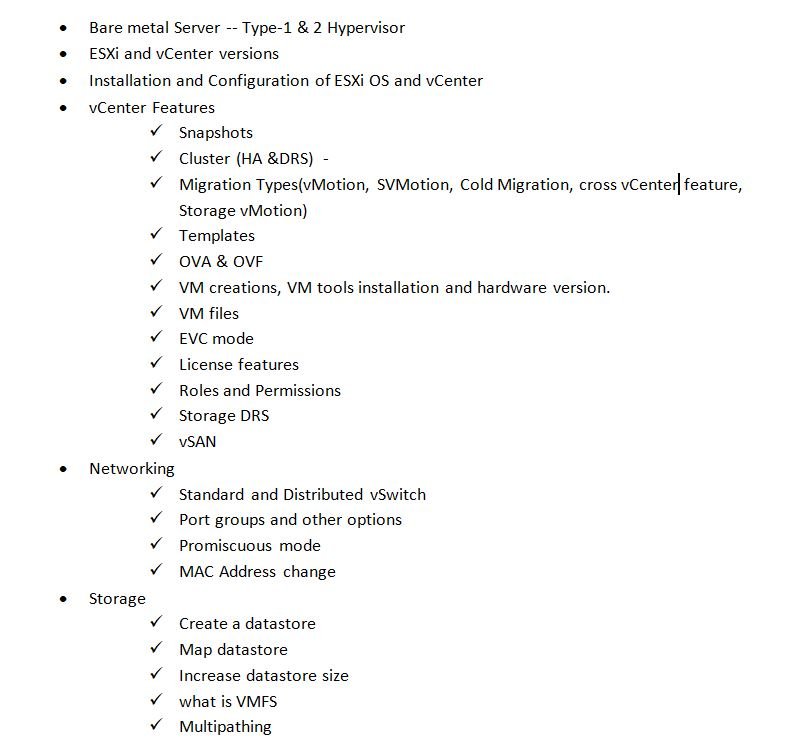
Concept checklist
I can explain the roles of ESXi and vCenter.
I understand VM resource controls and virtual hardware.
I can distinguish datastores, virtual disks and snapshots.
I can describe standard and distributed switching.
I understand what HA, DRS, vMotion and EVC provide.









No comments yet. Start the discussion.