Search articles, utilities, learning content, community Q&A, members, tags, and topics.
Start with
Search areas
Choose an area such as Articles, Utilities, Community Q&A, Learning, Members, or Tags & topics.
RustArraysData TypesRustTuples
Article & Tutorial
Rust Data Types Explained: Integers, Floats, Booleans, Characters, Tuples and Arrays
Learn Rust scalar and compound data types, integers, floating-point numbers, booleans, chars, tuples, arrays, type annotations, inference, casting, parsing, and common type errors.
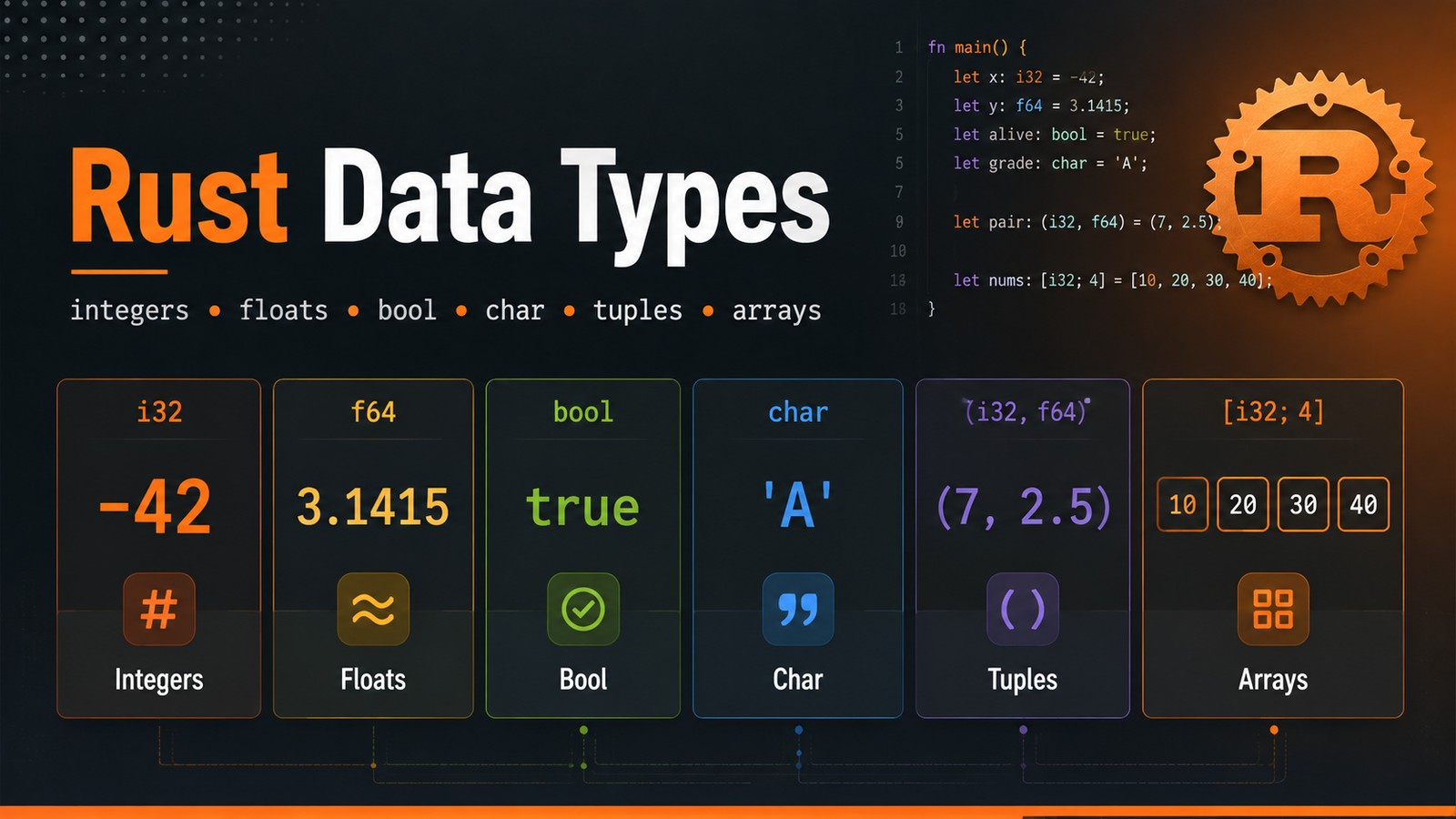
Rust Data Types Explained: Integers, Floats, Booleans, Characters, Tuples and Arrays article illustrationContents
Rust Learning Path — Chapter 4. Rust is statically typed, which means the compiler must know the type of every value at compile time. In many cases Rust infers the type automatically, but understanding the type system is essential for ownership, functions, collections, APIs and systems programming.
1. Scalar and compound types
Rust's built-in data types can be introduced in two broad groups.
Group
Types
Purpose
Scalar
Integers, floating-point numbers, Boolean, char
Represent a single value
Compound
Tuples and arrays
Group multiple values
2. Integer types
Integer values have no fractional component.
Signed
Unsigned
Width
i8
u8
8 bit
i16
u16
16 bit
i32
u32
32 bit
i64
u64
64 bit
i128
u128
128 bit
isize
usize
Architecture-dependent
bash
fn main() { let users: u32 = 2500; let temperature: i32 = -4; let index: usize = 3; println!("users={users}, temperature={temperature}, index={index}"); }
Use signed integers when negative values are valid. Use unsigned integers when only non-negative values make sense, but choose based on API requirements and semantics rather than merely trying to save space.
3. Integer literals
bash
let decimal = 98_222; let hex = 0xff; let octal = 0o77; let binary = 0b1111_0000; let byte = b'A';
Numeric separators such as 98_222 improve readability without changing the value.
4. Floating-point numbers
Rust provides f32 and f64. The default is usually f64.
bash
let price = 99.95; let ratio: f32 = 0.75; let precise: f64 = 3.1415926535;
Floating-point values are approximate binary representations. For money or other exact decimal requirements, do not assume ordinary floating-point arithmetic behaves like exact decimal arithmetic.
5. Numeric operations
bash
fn main() { let sum = 10 + 5; let difference = 20 - 4; let product = 6 * 7; let quotient = 20 / 4; let remainder = 20 % 3; println!("{sum} {difference} {product} {quotient} {remainder}"); }
Integer division
bash
let result = 5 / 2; println!("{result}"); // 2
Because both operands are integers, the result is an integer.
bash
let result = 5.0 / 2.0; println!("{result}"); // 2.5
6. Boolean type
bash
let enabled: bool = true; let healthy = false; if enabled { println!("Feature enabled"); }
A Rust Boolean is either true or false and is commonly used in conditions and state flags.
7. Character type
Rust's char represents a Unicode scalar value and uses single quotes.
bash
let letter = 'A'; let symbol = '❤'; let language = '中';
A char is not the same thing as a one-byte ASCII character. Rust strings are UTF-8, so text handling requires care when indexing or slicing, which we cover later.
8. Tuple type
A tuple groups a fixed number of values, and the values can have different types.
bash
fn main() { let server = ("api.melochip.com", 443, true); let host = server.0; let port = server.1; let tls = server.2; println!("{host}:{port}, TLS={tls}"); }
Tuple destructuring
bash
let (host, port, tls) = ("localhost", 8080, false); println!("{host}:{port} TLS={tls}");
9. Array type
An array stores a fixed number of values of the same type.
You can specify the array type and length explicitly:
bash
let ports: [u16; 4] = [80, 443, 8080, 8443];
Create repeated values:
bash
let zeros = [0; 5]; // [0, 0, 0, 0, 0]
10. Array vs vector
Array
Vector
Fixed length
Can grow and shrink
Type includes length
Dynamic collection
Useful for fixed-size data
Useful for runtime-sized lists
Vectors are covered in the collections chapter.
11. Type inference
bash
let count = 10; let enabled = true; let name = "Rust";
Rust can infer these types from context. In ambiguous situations, provide an annotation.
bash
let port: u16 = "8080".parse().expect("valid port");
12. Parsing text into numbers
bash
fn main() { let value = "42"; let number: i32 = value.parse().expect("valid integer"); println!("number={number}"); }
parse() is generic, so the destination type usually needs to be known through a variable annotation or turbofish syntax.
bash
let port = "8080".parse::<u16>().expect("valid port");
13. Casting numeric values
Rust does not silently perform many numeric conversions. The as keyword can perform explicit primitive casts.
bash
let small: u8 = 10; let larger: u32 = small as u32;
Use explicit conversions carefully. Converting from a larger range to a smaller range can lose information. For checked conversions, learn the standard conversion traits such as TryFrom.
14. Type mismatch example
bash
let count: u32 = 10; let offset: i32 = 5; // let total = count + offset; // mismatched types
You must decide what conversion is valid for your domain instead of relying on an implicit conversion.
15. Unit type
The unit type is written (). It represents the absence of another meaningful value and is the implicit return type of functions that do not return a value.
bash
fn log_start() { println!("Starting..."); }
This function effectively returns ().
16. Practical example: server configuration
bash
fn main() { let host: &str = "127.0.0.1"; let port: u16 = 8080; let tls_enabled: bool = false; let timeout_seconds: f64 = 2.5; let labels: (&str, &str) = ("environment", "development"); let fallback_ports: [u16; 3] = [8080, 8081, 8082]; println!("Host: {host}"); println!("Port: {port}"); println!("TLS: {tls_enabled}"); println!("Timeout: {timeout_seconds}"); println!("Label: {}={}", labels.0, labels.1); println!("Fallback: {:?}", fallback_ports); }
17. Mini lab
Create data_types_lab .
Store a service name as &str .
Store a port as u16 .
Store memory size as u64 .
Store a health flag as bool .
Create a tuple for host and port.
Create an array of three allowed ports.
Parse "9090" into a u16 .
Run cargo fmt , cargo check , cargo clippy and cargo run .
18. Common beginner mistakes
Mixing signed and unsigned integer types without an explicit conversion.
Expecting integer division to return a floating-point number.
Using double quotes for char instead of single quotes.








No comments yet. Start the discussion.