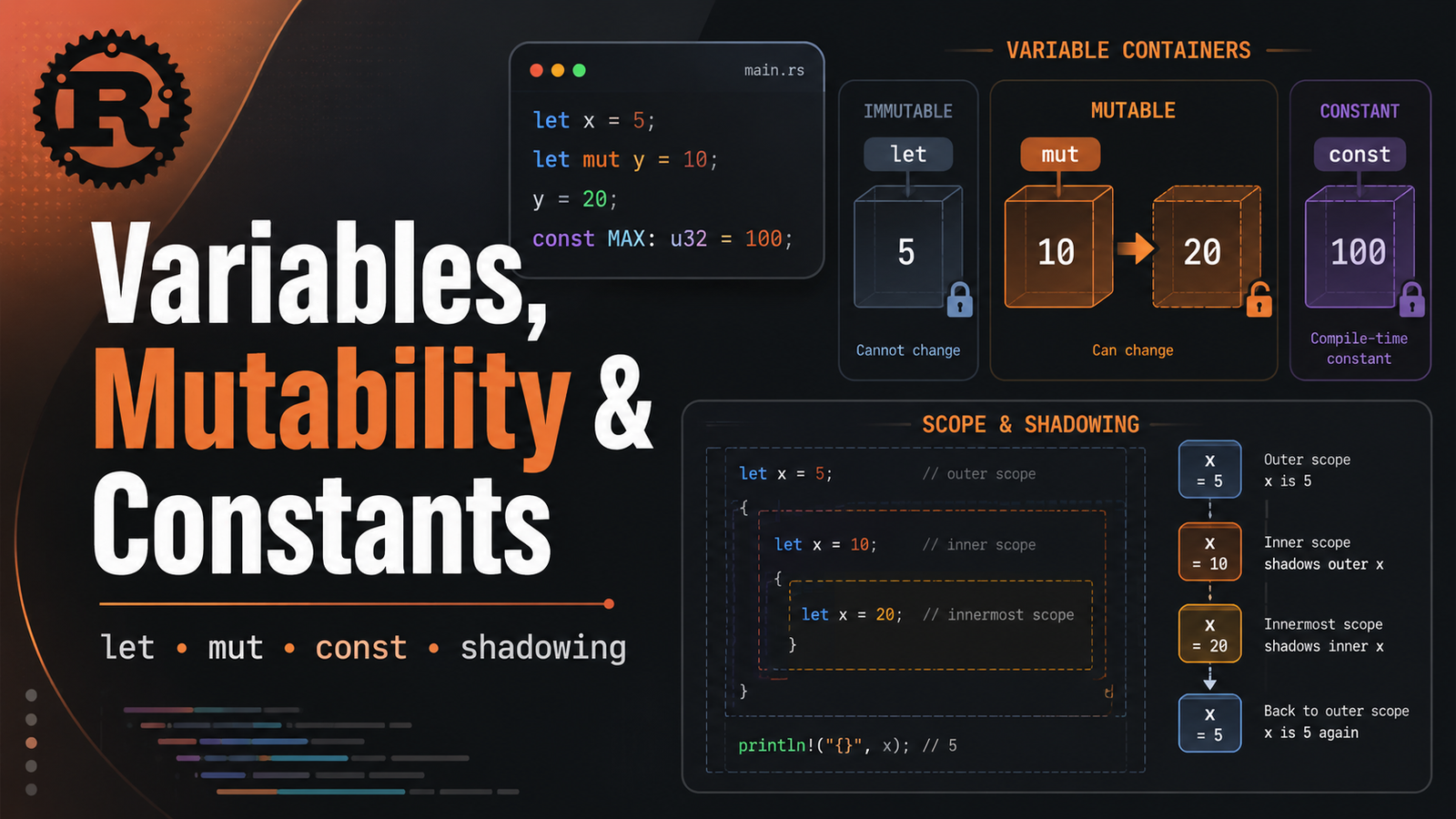
Rust ConstantsMutabilityRustVariables

Article & Tutorial

Rust Variables, Mutability, Constants and Shadowing: Complete Guide

Learn how Rust variables work, why values are immutable by default, how mut works, how constants differ from variables, what shadowing means, and how scope and type changes behave.

Rust Variables, Mutability, Constants and Shadowing: Complete Guide article illustration
Contents

Rust Learning Path — Chapter 3. This chapter explains one of Rust's earliest design choices: variables are immutable by default. You will learn let, mut, constants, shadowing, scope, type annotations, destructuring, compiler errors and practical patterns.

1. Variables are immutable by default

bash
fn main() { let count = 10; println!("count = {count}"); }

The binding count cannot be assigned a new value unless you explicitly opt in to mutability.

bash
fn main() { let count = 10; count = 11; // compiler error }

This default encourages you to make state changes intentional rather than accidental.

2. Make a variable mutable with mut

bash
fn main() { let mut retries = 0; retries = retries + 1; println!("Retries: {retries}"); }

Use mutability when a value genuinely changes during the lifetime of the binding.

3. Immutable binding vs immutable value

In beginner code, it is useful to think of let as creating a binding. Whether the data behind a binding can change later depends on the type and ownership model as well, which becomes important in the ownership and borrowing chapters.

4. Type inference

bash
let age = 30; // inferred integer type let price = 19.95; // inferred floating-point type let active = true; // bool let language = "Rust"; // &str

Rust usually infers the type, but you can annotate it explicitly:

bash
let age: u8 = 30; let total: i64 = 250_000; let ratio: f64 = 0.75;

5. Constants

Constants use const, require an explicit type, and must be initialized with a constant expression.

bash
const MAX_CONNECTIONS: u32 = 100; const TIMEOUT_SECONDS: u64 = 30; fn main() { println!("Maximum connections: {MAX_CONNECTIONS}"); }

Rust convention uses SCREAMING_SNAKE_CASE for constants.

6. Variable vs constant

Featureletconst
Mutable?Yes, with mutNo
Type annotation required?Usually noYes
Runtime initialization?YesMust be a constant expression
Naming conventionsnake_caseSCREAMING_SNAKE_CASE

7. Shadowing

Rust lets you declare a new binding with the same name:

bash
fn main() { let x = 5; let x = x + 1; let x = x * 2; println!("x = {x}"); // 12 }

This is called shadowing. It is not the same as mutability because each let creates a new binding.

8. Shadowing can change type

bash
fn main() { let spaces = " "; let spaces = spaces.len(); println!("Number of spaces: {spaces}"); }

The first binding is a string slice; the second is a number. This is legal because shadowing creates a new binding.

With mut, the type does not become freely changeable:

bash
let mut spaces = " "; // spaces = spaces.len(); // type mismatch

9. Scope

bash
fn main() { let environment = "production"; { let environment = "development"; println!("Inside: {environment}"); } println!("Outside: {environment}"); }

The inner binding shadows the outer one only inside the inner scope.

10. Destructuring with let

bash
fn main() { let (host, port) = ("127.0.0.1", 8080); println!("Server: {host}:{port}"); }

You can also destructure arrays and structs later in the learning path.

11. Delayed initialization

bash
fn main() { let status; let healthy = true; if healthy { status = "UP"; } else { status = "DOWN"; } println!("Status: {status}"); }

Rust allows a binding to be declared before its value is assigned, but the compiler ensures it is initialized before use.

12. Numeric readability with underscores

bash
let users = 1_000_000; let memory_bytes = 16_777_216;

Underscores improve readability and do not change the numeric value.

13. Practical example: service configuration

bash
const DEFAULT_PORT: u16 = 8080; const MAX_RETRIES: u8 = 3; fn main() { let service_name = "melochip-api"; let mut current_retry = 0; println!("Starting {service_name} on port {DEFAULT_PORT}"); current_retry += 1; println!("Retry {current_retry}/{MAX_RETRIES}"); }

14. Common compiler errors

Cannot assign twice to immutable variable

bash
let total = 5; total = 6;

Fix it by using let mut total = 5; only when reassignment is actually required.

Missing type on a constant

bash
// const LIMIT = 10; // invalid const LIMIT: u32 = 10;

Using a binding outside its scope

bash
{ let temp = 42; } // println!("{temp}"); // not in scope

15. Mini lab

  1. Create a Cargo project named variables_lab .
  2. Create immutable variables for application name and environment.
  3. Create a mutable retry counter.
  4. Create constants for port and maximum retries.
  5. Use shadowing to convert a string such as "8080" into a parsed integer.
  6. Run cargo fmt , cargo check , cargo clippy and cargo run .

Example solution

bash
const DEFAULT_PORT: u16 = 8080; const MAX_RETRIES: u8 = 3; fn main() { let app_name = "rust-service"; let environment = "dev"; let mut retries = 0; let port = "9090"; let port: u16 = port.parse().expect("valid port"); retries += 1; println!("App: {app_name}"); println!("Environment: {environment}"); println!("Configured port: {port}"); println!("Default port: {DEFAULT_PORT}"); println!("Retry: {retries}/{MAX_RETRIES}"); }

16. Best practices

  • Keep variables immutable unless mutation is genuinely needed.
  • Use meaningful names rather than single letters outside tiny examples.
  • Use constants for fixed application-level values that belong in source code.
  • Prefer shadowing when transforming a value while keeping the same conceptual name.
  • Use explicit type annotations when they improve clarity or when inference is ambiguous.

Quick cheat sheet

bash
// Immutable let name = "Rust"; // Mutable let mut counter = 0; counter += 1; // Explicit type let port: u16 = 8080; // Constant const MAX_RETRIES: u8 = 3; // Shadowing let value = "42"; let value: i32 = value.parse().unwrap();

Official reference

Rust's official book documents immutability by default, mut, constants and shadowing in its Variables and Mutability chapter.

Rust Book — Variables and Mutability

Next: Chapter 4 — Rust Data Types: integers, floating point, Boolean, characters, tuples, arrays, type inference and conversions.

Did this help?

Yes No

Join the discussion

0 Comments

Ask questions, add context, or share what worked.

Sign in to join the discussion

No comments yet. Start the discussion.

More from Melochip Editorial

Related articles

Stay in the loop. Get new Melochip articles

Receive Melochip article updates when new articles are available. Explicit opt-in only.

No pre-checked boxes. Unsubscribe support is part of the subscriber foundation.