Search articles, utilities, learning content, community Q&A, members, tags, and topics.
Start with
Search areas
Choose an area such as Articles, Utilities, Community Q&A, Learning, Members, or Tags & topics.
RustBeginner GuideHello WorldRustSyntax
Article & Tutorial
Rust Syntax and Hello World: Complete Beginner Guide with Examples
Learn Rust syntax from the ground up with Hello World, main(), println!, comments, statements, expressions, blocks, macros, formatting, Cargo commands, compiler errors, and hands-on examples.
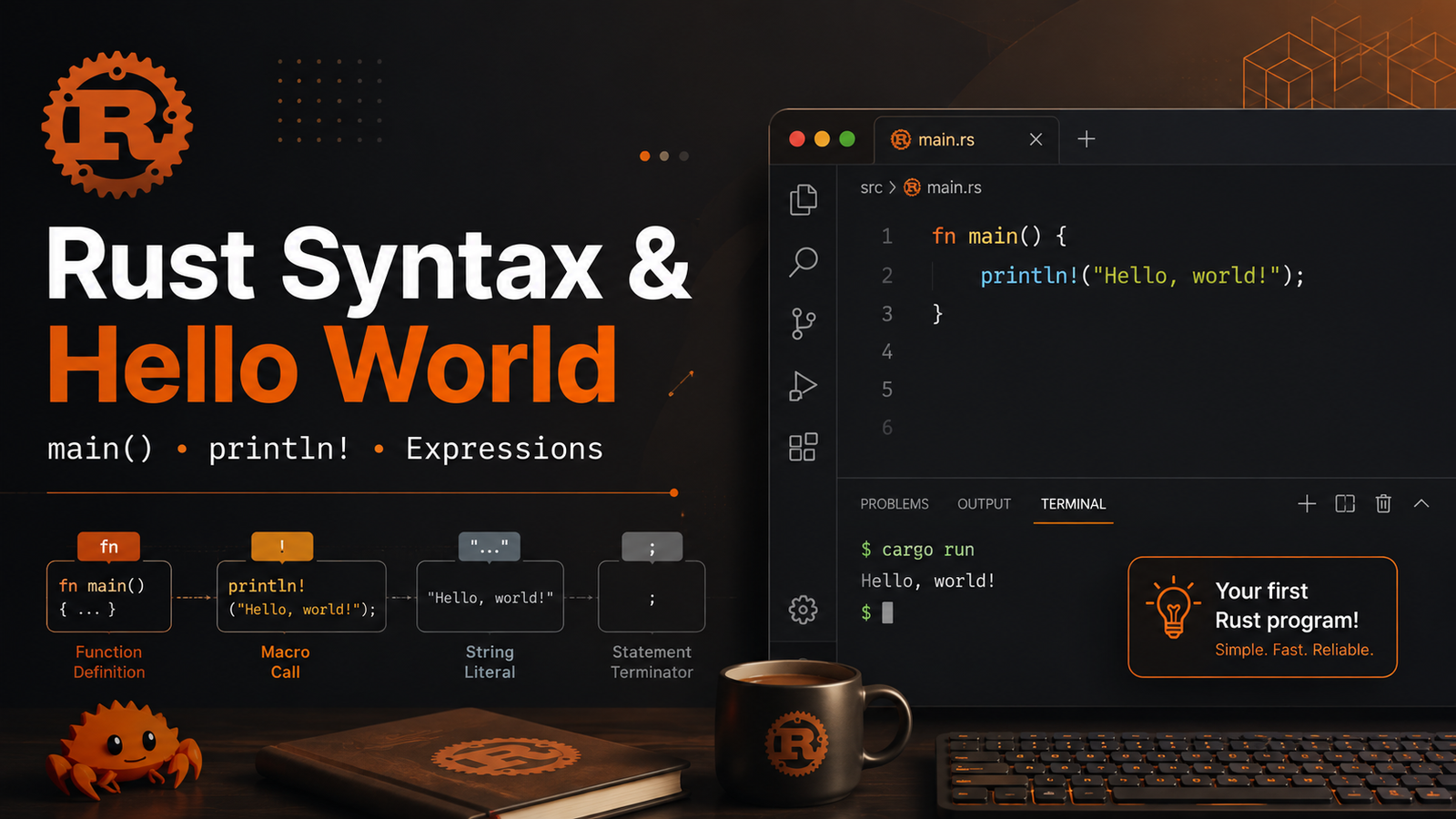
Rust Syntax and Hello World: Complete Beginner Guide with Examples article illustrationContents
Rust Syntax and Hello World
Learn how a Rust program is structured and understand the syntax you will see in every Rust project: fn main(), statements, expressions, blocks, comments, macros, formatting and compiler feedback.
What you will learn
How Rust source files are structured
What fn main() means
How println! and other macros work
Statements versus expressions
Semicolons and return values
Code blocks and scope
Comments and documentation comments
String formatting and placeholders
How to compile and run syntax examples
How to read basic compiler errors
1. Create a Rust project
bash
cargo new rust_syntax_lab cd rust_syntax_lab cargo run
Cargo creates a package containing a Cargo.toml manifest and a src/main.rs source file. A new binary project starts with a minimal Hello World application.
2. Your first Rust program
bash
fn main() { println!("Hello, world!"); }
Run it:
bash
cargo run
Expected output:
bash
Hello, world!
3. Understanding fn main()
Every normal Rust binary has an entry point named main. Execution begins there.
bash
fn main() { // program starts here }
Syntax
Meaning
fn
Declares a function.
main
The entry-point function for a binary program.
()
The function takes no parameters.
{ ... }
The function body is a code block.
Rust convention uses snake_case for function and variable names:
println! prints formatted text followed by a newline.
bash
println!("Welcome to Rust!");
The exclamation mark is important: println! is a macro, not an ordinary function call. Rust macros can accept syntax that ordinary functions cannot and are expanded by the compiler.
println!
Prints text and adds a newline.
bash
println!("Hello");
print!
Prints without automatically adding a newline.
bash
print!("Hello "); print!("Rust");
eprintln!
Prints to standard error, useful for errors and diagnostics.
bash
eprintln!("Something went wrong");
5. Formatting output
Rust formatting macros support placeholders.
bash
fn main() { let language = "Rust"; let year = 2015; println!("I am learning {language}."); println!("Rust 1.0 was released in {year}."); }
You can also use positional placeholders:
bash
println!("{} + {} = {}", 10, 20, 30);
Named formatting can make complex messages clearer:
/* This is a block comment. It can span multiple lines. */
Documentation comments
Rust also has documentation comments that can become generated API documentation:
bash
/// Adds two integer values. fn add(a: i32, b: i32) -> i32 { a + b }
Generate project documentation with:
bash
cargo doc --open
10. Basic naming conventions
Item
Common Rust style
Example
Variables
snake_case
user_name
Functions
snake_case
calculate_total
Types / structs / enums
UpperCamelCase
UserProfile
Constants
SCREAMING_SNAKE_CASE
MAX_RETRIES
11. A complete syntax example
bash
fn greeting(name: &str) -> String { format!("Hello, {name}!") } fn main() { let user = "Kaushik"; let message = greeting(user); println!("{message}"); let result = { let a = 10; let b = 20; a + b }; println!("Calculation result: {result}"); }
Run:
bash
cargo run
Expected:
bash
Hello, Kaushik! Calculation result: 30
12. Compile without running
bash
cargo build
For faster compile-time feedback while developing:
bash
cargo check
cargo check is useful when you want Rust's compiler diagnostics without producing the final executable.
13. Read compiler errors instead of fighting them
Rust compiler diagnostics frequently show the file, line, problematic code and a suggested correction.
Try this intentionally broken example:
bash
fn main() { println!("Hello") println!("Rust"); }
The missing semicolon between macro invocations causes a compile error. Run:
bash
cargo check
Then read the diagnostic from top to bottom. During Rust learning, compiler messages are effectively an interactive tutor.
14. Formatting Rust code automatically
Instead of manually aligning code, use Rust's formatter:
bash
cargo fmt
Check formatting without changing files:
bash
cargo fmt --check
15. Lint your code with Clippy
bash
cargo clippy
Clippy provides additional recommendations for correctness, readability and idiomatic Rust.
16. Mini lab
Create this program without copying the final answer first:
Create a project named chapter2_lab .
Store your name and a technology in variables.
Print both values using captured formatting.
Create an inner block that calculates 15 * 4 .
Assign the result of that block to a variable.
Print the result.
Add a documentation comment above a helper function.
Run cargo fmt , cargo check , cargo clippy and cargo run .
Example solution
bash
/// Creates a short learning message. fn learning_message(name: &str, technology: &str) -> String { format!("{name} is learning {technology}") } fn main() { let name = "Kaushik"; let technology = "Rust"; println!("{}", learning_message(name, technology)); let result = { let value = 15; value * 4 }; println!("15 × 4 = {result}"); }
17. Common beginner mistakes
Mistake
Fix
Writing println()
Use the macro syntax println!() .
Forgetting semicolons between statements
Add ; where the statement should end.
Adding a semicolon to a return expression
Remove it when the final expression should provide a function/block value.
Using a variable outside its scope
Move the declaration to a wider scope or restructure the code.
Ignoring compiler output
Read the first compiler error carefully before addressing later cascading errors.
18. Recommended workflow for every example
bash
cargo fmt cargo check cargo clippy cargo test cargo run
Rust syntax cheat sheet
bash
// Function fn greet() { println!("Hello!"); } // Variable let name = "Rust"; // Code block returning a value let x = { let y = 5; y + 1 }; // Function returning a value fn double(value: i32) -> i32 { value * 2 } // Comment // one line // Documentation comment /// Documents the next item.
Official references
This chapter follows the current Rust language and Cargo documentation. Rust's official book introduces variables, data types, functions, comments and control flow as common programming concepts, while Cargo provides the standard package/build workflow.
The Rust Programming Language — Common Programming Concepts







No comments yet. Start the discussion.