Search articles, utilities, learning content, community Q&A, members, tags, and topics.
Start with
Search areas
Choose an area such as Articles, Utilities, Community Q&A, Learning, Members, or Tags & topics.
AzureApplication GatewayAzureCloudLoad Balancer
Article & Tutorial
Azure Application Gateway v2 Explained: WAF, TLS, Path Routing, Health Probes and Setup
Learn Azure Application Gateway v2 with Standard_v2 and WAF_v2, Layer 7 routing, TLS termination, path and host routing, backend health probes, autoscaling, zone redundancy, WAF, CLI setup and troubleshooting.
Azure Application Gateway architecture showing frontend listener, routing rules, backend pool and health probesContents
Last reviewed: August 2026
Azure Application Gateway is a regional Layer 7 web traffic load balancer for HTTP and HTTPS applications. Unlike Azure Load Balancer, which primarily routes TCP/UDP traffic using IP addresses and ports, Application Gateway can make routing decisions using HTTP attributes such as host names and URL paths.
Important: Application Gateway v1 was retired on April 28, 2026. New deployments should use Standard_v2 or WAF_v2.
What Application Gateway v2 provides
Layer 7 HTTP/HTTPS routing
URL path-based routing
Multi-site and host-header routing
TLS termination
End-to-end TLS to backend servers
Web Application Firewall with WAF_v2
Autoscaling
Zone redundancy
Static virtual IP behavior
Custom health probes
Cookie-based session affinity
HTTP to HTTPS redirects
Connection draining
Header and URL rewrite support
WebSocket and HTTP/2 support
How Application Gateway routes traffic
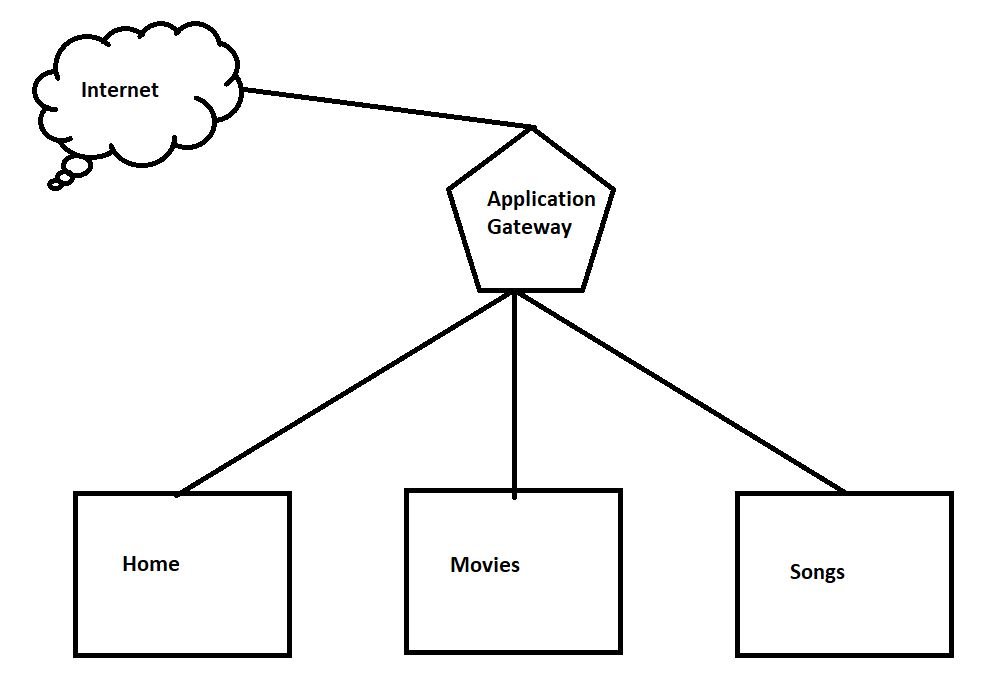
Traffic arrives at a frontend listener. A request-routing rule evaluates the request and sends it to the appropriate backend pool. The gateway forwards traffic only to backends that pass health probes.
application-gateway-architecture.txt
Client
  |
  v
Application Gateway v2
  |
  +-- Listener: www.example.com
  |       |
  |       +-- /images/*  -> Images backend pool
  |       +-- /video/*   -> Video backend pool
  |       +-- /*         -> Default backend pool
  |
  +-- Health probes
          |
          +-- Healthy backends only
Standard_v2 vs WAF_v2
SKU
Use case
Standard_v2
Layer 7 routing, TLS, autoscaling and web traffic management without WAF
WAF_v2
The same v2 capabilities plus Web Application Firewall protection
For internet-facing production web applications, WAF_v2 is often the better security choice when you need managed web-application protection.
Dedicated subnet requirement
Application Gateway requires a dedicated subnet. Do not place unrelated workloads in the same subnet. Size the subnet with enough available addresses for autoscaling and future growth.
Frontend IPs
Depending on the configuration and supported deployment model, Application Gateway v2 can use public and private frontend IP configurations. Private-only v2 deployments are available in supported scenarios, which is useful for internal web applications and zero-trust architectures.
Backend pools
Backend pools can contain supported targets such as virtual machine NICs, Virtual Machine Scale Sets, IP addresses, FQDNs, and multitenant backends such as Azure App Service.
Listeners
A listener accepts incoming traffic using a frontend IP, port, protocol and optionally a host name. Multi-site listeners let one Application Gateway serve multiple domains and direct them to different backend pools.
URL path-based routing
Path-based routing lets you send different URL paths to different backend pools.
path-routing-examples.txt
https://www.example.com/images/*  -> image servers
https://www.example.com/video/*   -> video servers
https://www.example.com/api/*     -> API servers
https://www.example.com/*         -> default web pool
TLS termination and end-to-end TLS
Application Gateway can terminate TLS at the gateway, reducing encryption work on backend servers. If you need encryption all the way to the backend, configure HTTPS in the backend settings and use trusted backend certificates.
Azure Application Gateway clients and backend servers must use TLS 1.2 or later because support for TLS 1.0 and TLS 1.1 ended on August 31, 2025.
Health probes
Application Gateway continuously monitors backend health. Custom probes let you configure the protocol, host name, URL path, interval and unhealthy threshold. If a backend becomes unhealthy, the gateway stops sending new traffic to it.
A dedicated application endpoint such as /health or /ready is preferable to probing only the home page when you want the probe to reflect real application readiness.
Web Application Firewall
WAF_v2 adds application-layer protection for common web attacks and can be configured using managed and custom rules. WAF can run in Detection or Prevention mode depending on your rollout and security requirements.
Create Application Gateway v2 in the Azure portal
Create or identify a virtual network.
Create a dedicated Application Gateway subnet with enough free IP addresses.
Open Azure portal → Application Gateways → Create.
Select Standard_v2 or WAF_v2.
Configure autoscaling and availability zones as required.
Create the frontend IP configuration.
Add the backend pool.
Create backend settings for HTTP or HTTPS.
Create a listener.
Create a request-routing rule.
Add a custom health probe where appropriate.
For HTTPS, configure the listener certificate and backend TLS settings as required.
Review backend health after deployment.
Azure CLI example
The exact command structure varies with the network and backend design, but a basic v2 gateway flow looks like this:
For production environments, use autoscaling and create backend pools, listeners, probes and routing rules according to the actual application architecture rather than relying on quickstart defaults.
Backend health
After deployment, check Application Gateway → Backend health. Unhealthy or unknown backends usually indicate a problem with the health probe, route, DNS resolution, TLS validation, NSG, UDR, backend listener, or host-header configuration.
Connection draining
Connection draining lets existing requests complete while a backend is being removed or updated, which helps reduce connection loss during planned maintenance and rolling deployments.
Application Gateway vs Azure Load Balancer vs Front Door
Service
Scope / Layer
Best use
Azure Load Balancer
Regional Layer 4
TCP/UDP transport load balancing
Application Gateway
Regional Layer 7
HTTP/HTTPS routing, TLS, WAF
Azure Front Door
Global Layer 7 edge
Global acceleration, routing and WAF
Traffic Manager
Global DNS
DNS-based endpoint steering and failover
Common troubleshooting
502 Bad Gateway: inspect backend health, probe configuration, TLS settings, host header and backend listener.
Backend unhealthy: verify the probe path, protocol, port, NSG, route table and application response.
App Service returns 404: verify the host name passed to the backend and whether the backend expects its own FQDN.
TLS backend failure: verify certificate trust, name matching and backend HTTPS settings.








No comments yet. Start the discussion.