kubectl terminal communicating safely with the Kubernetes APIContents
kubectl is the command-line client for talking to the Kubernetes API. This guide is a reviewed, version-aware field guide: commands use a disposable kubectl-demo namespace, explicit scope, safe placeholders, and verification after changes. Exact behavior depends on Kubernetes version, distribution, permissions, and installed APIs.
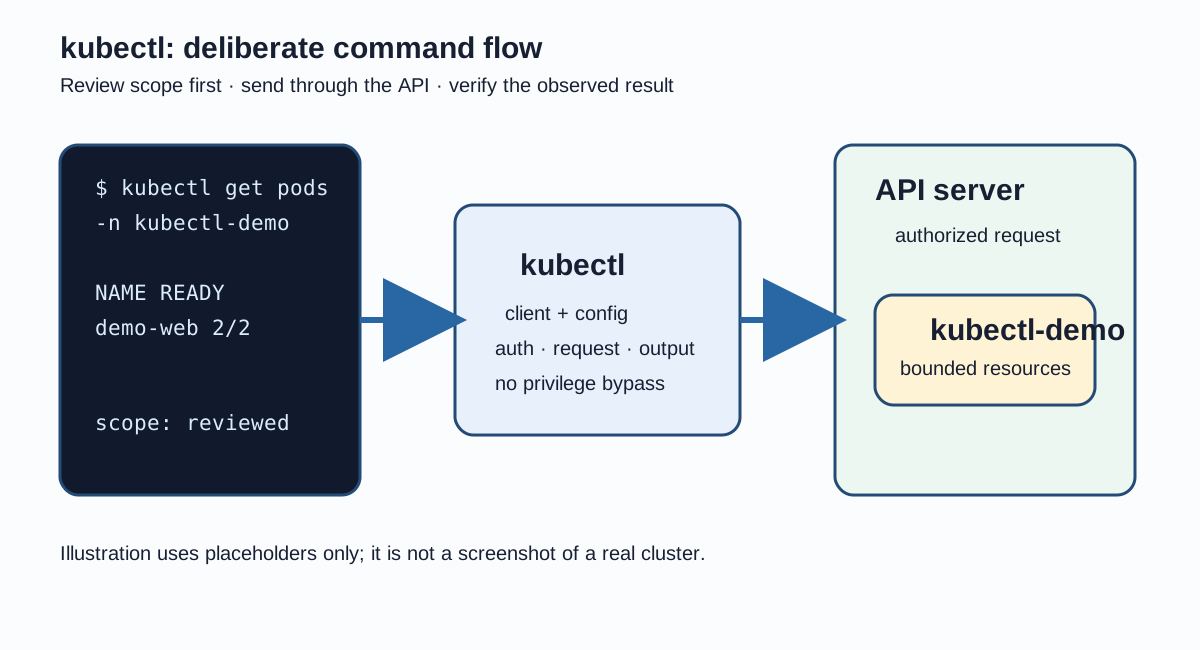
A local terminal sends reviewed commands through kubectl to the Kubernetes API; cluster changes remain subject to authorization and review.
What kubectl is
kubectl builds authenticated API requests, sends them to the API server, and formats the response for a human or script. It does not bypass authorization or make a cluster safe by itself. A successful command means the API accepted the request, not that the workload is healthy.
Version compatibility
Check the client version before troubleshooting. Client and server versions have a supported compatibility policy, but there is no universal promise that every command or field behaves identically across releases and distributions. Confirm the target cluster's supported version and API resources.
version.sh
kubectl version --client
# If authorized and supported by the cluster:
kubectl version
Kubeconfig safety
Kubeconfig files can contain cluster endpoints and identity material. Keep them permission-restricted, out of source control and chat, and do not print credential-bearing fields. Use a deliberately selected context before any command that can mutate state.
Start with read-only discovery. These commands reveal the cluster connection and available API surface without changing an object. Output can still contain sensitive names, so share only the minimum needed for diagnosis.
discover.sh
kubectl cluster-info
kubectl api-resources
kubectl api-versions
kubectl get namespaces
kubectl get nodes -o wide
Resource discovery
Resource names and fields vary with installed APIs. Use api-resources to discover names and kubectl explain to inspect the schema exposed by the server. Recursive output is useful for exploration but should be checked against the target version.
Use get for a compact collection view and describe for an object-oriented diagnostic view. Keep the namespace explicit for namespaced resources and use a placeholder Pod name rather than copying a live identifier into a runbook.
inspect.sh
kubectl get pods -n kubectl-demo
kubectl get deployments -n kubectl-demo
kubectl get services -n kubectl-demo
kubectl describe pod <pod-name> -n kubectl-demo
kubectl get pod <pod-name> -n kubectl-demo -o yaml
Declarative apply workflow
Prefer reviewed, version-controlled manifests for durable environments. kubectl apply compares the desired declaration with the object managed through the API. Review the file and diff first, apply with an explicit namespace, then verify rollout and events.
Client-side dry-run renders a proposed object without sending it to the server. It is useful for learning and generating a starting manifest, but server-side validation and admission can differ. The current form uses no deprecated generator flag.
This safe example uses apps/v1, a dedicated namespace, matching labels, and bounded resource settings. Replace the placeholder image only after reviewing its provenance and the target cluster policy.
The ClusterIP Service stays inside the cluster. Its selector matches the Deployment Pod-template label and its named target port avoids embedding a changing Pod identity.
kubectl edit opens a live object for interactive changes. It is easy to lose review context or overwrite a field managed by another controller, so prefer a reviewed manifest for durable changes. A narrowly scoped patch can be appropriate for a deliberate label update.
Labels support selection and grouping; annotations hold non-identifying metadata that is not normally used for selection. --overwrite is explicit because it replaces an existing value. Verify the result and confirm that a selector was not accidentally changed.
Bound log output while diagnosing a workload. Select a container explicitly in a multi-container Pod, use --previous for a restarted container, and avoid copying application secrets or unbounded output into tickets.
Exec starts a process inside a running container. It is authorization-sensitive, the requested shell must exist in the image, and it is a diagnostic aid—not a replacement for a reproducible image or deployment.
Bind a local port to loopback when forwarding a Service. This keeps the listener off other network interfaces; access still depends on local host security and cluster authorization.
A Deployment rollout can be observed, restarted, or rolled back. Undo depends on retained revision history and does not prove that the reverted workload is healthy; verify status, Pods, events, and application behavior afterward.
rollout.sh
kubectl rollout status deployment/demo-web -n kubectl-demo
kubectl rollout history deployment/demo-web -n kubectl-demo
kubectl rollout restart deployment/demo-web -n kubectl-demo
kubectl rollout undo deployment/demo-web -n kubectl-demo
kubectl get deployments,pods -n kubectl-demo
Scale
Manual scaling changes the Deployment's replica count. An autoscaling controller can later change that value, so document the owner of scaling decisions before using this command in a managed environment.
Use kubectl events where the installed client supports it. The get-events form is a compatible fallback. Events are useful diagnostic observations, not permanent audit records; correlate them with object status and controller logs.
events.sh
kubectl events -n kubectl-demo
kubectl get events -n kubectl-demo --sort-by=.metadata.creationTimestamp
kubectl describe pod <pod-name> -n kubectl-demo
JSONPath and custom-column output
Choose output formats for the task. JSONPath expressions are quoted for a POSIX shell; custom columns are easier to review when a small, stable set of fields is enough.
output.sh
kubectl get pods -n kubectl-demo -o wide
kubectl get deployment/demo-web -n kubectl-demo -o yaml
kubectl get deployment/demo-web -n kubectl-demo -o json
kubectl get pods -n kubectl-demo -o name
kubectl get pods -n kubectl-demo -o custom-columns='NAME:.metadata.name,READY:.status.containerStatuses[*].ready,PHASE:.status.phase'
kubectl get pod <pod-name> -n kubectl-demo -o jsonpath='{.metadata.name}'
Delete and cleanup safety
Deletion is asynchronous and can be delayed by finalizers. Inspect the exact object and diff before removing it, use an explicit namespace and name, and verify that the intended resource disappeared. Never use blanket deletion or target kube-system as a shortcut.
cleanup.sh
kubectl diff -f deployment.yaml -n kubectl-demo
kubectl get deployment/demo-web service/demo-web -n kubectl-demo
# Cleanup is destructive; run only after reviewing this disposable namespace.
# kubectl delete deployment/demo-web service/demo-web -n kubectl-demo
# kubectl delete namespace kubectl-demo
Common mistakes
Running a mutation against the current context without checking its name and namespace.
Treating client-side dry-run output as proof that server admission will accept an object.
Using imperative edits for durable state without updating the reviewed manifest.
Dumping Secrets or credential-bearing kubeconfig fields with YAML or JSON output.
Assuming logs are safe to paste without checking for application secrets.
Binding port-forward to every interface instead of loopback.
Assuming events are an audit trail or that manual scaling wins over an autoscaler.
Practical troubleshooting workflow
1
Confirm scope
Check client version, current context, namespace, and authorization before reading or changing anything.
2
Inspect the object
Use get, describe, events, and bounded logs to form a hypothesis.
3
Compare desired state
Review the manifest and kubectl diff, then compare selectors, labels, requests, and status.
4
Make one reviewed change
Apply a narrow, reversible change in kubectl-demo and record the expected observation.
5
Verify and document
Check rollout, Pods, Service endpoints, events, and logs; preserve only safe diagnostic evidence.
Quick reference
Task
Safe starting command
Version
kubectl version --client
Context
kubectl config current-context
Schema
kubectl explain deployment.spec
Inspect
kubectl get pods -n kubectl-demo
Apply
kubectl diff -f deployment.yaml -n kubectl-demo
Rollout
kubectl rollout status deployment/demo-web -n kubectl-demo
Events
kubectl events -n kubectl-demo
Logs
kubectl logs -n kubectl-demo --tail=100
Conclusion
kubectl is most effective when it is paired with reviewed declarative configuration, least-privilege access, bounded diagnostics, and explicit verification. The commands here provide a safe learning path without pretending that one command set covers every Kubernetes release or distribution.
Related Kubernetes learning sequence
Read the Kubernetes architecture guide first to understand the API server, controllers, nodes, and Services. Then practice these commands in a disposable namespace before applying reviewed manifests to a managed environment. Foundational Kubernetes overlap remains reserved for the later K3 comparison.









No comments yet. Start the discussion.