
GitLab Webhooks and Integrations Guide
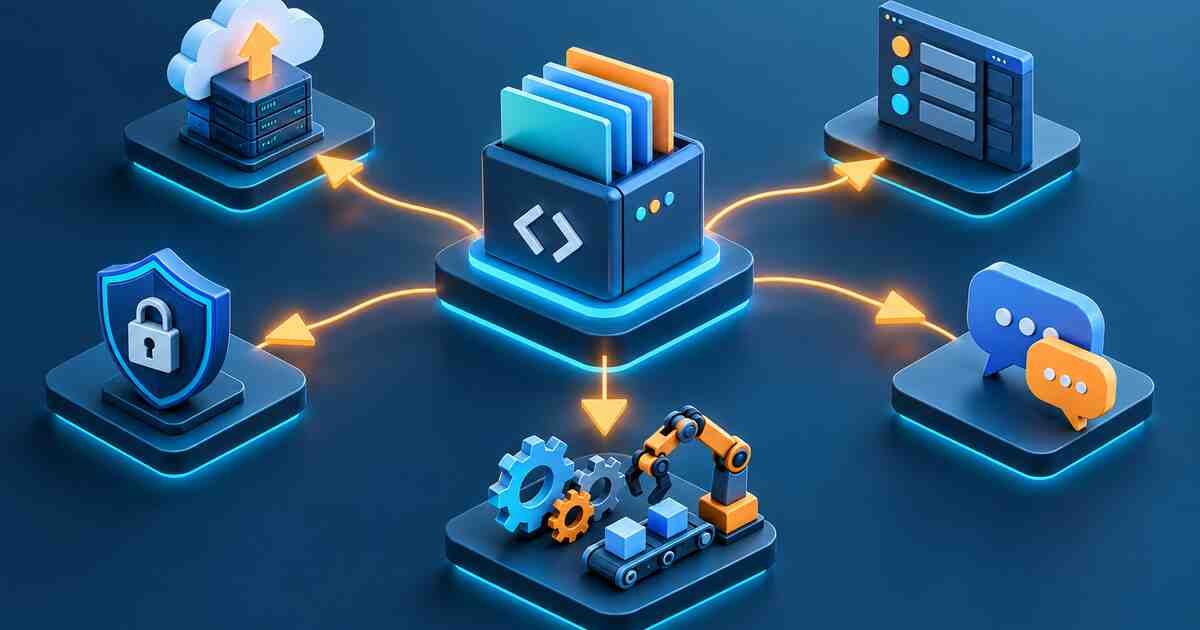
Learn how GitLab webhooks and integrations connect GitLab projects with chat tools, ticketing systems, deployment tools, security systems, monitoring platforms, and automation workflows.
Quick answer
Webhook
An HTTP callback sent by GitLab when a selected event happens.
Integration
A built-in or configured connection between GitLab and another tool.
Security
Use secret tokens, trusted endpoints, and event filtering.
What are GitLab webhooks?
Webhooks notify external systems when GitLab events occur. A webhook sends an HTTP request to a configured URL.
Common webhook events
- Push events.
- Merge request events.
- Pipeline events.
- Job events.
- Tag push events.
- Release events.
- Deployment events.
Webhook use cases
- Send pipeline failure alerts to chat tools.
- Create deployment records in external systems.
- Trigger external Jenkins or automation jobs.
- Sync merge request status to ticketing tools.
- Notify security tools when releases happen.
Webhook security checklist
| Control | Why it matters |
|---|---|
| Secret token | Helps verify that requests came from GitLab. |
| HTTPS endpoint | Protects webhook traffic in transit. |
| Event filtering | Reduces noise and risk. |
| Endpoint validation | Prevents untrusted automation. |
| Logging | Helps debug webhook failures. |
Example webhook workflow
- Developer pushes code.
- GitLab runs a pipeline.
- Pipeline fails.
- GitLab sends a pipeline event webhook.
- External tool posts an alert to the DevOps channel.
Integrations vs webhooks
Use built-in integrations when GitLab already supports your tool. Use webhooks when you need custom automation or a custom endpoint.
Common mistakes
- Enabling every event and creating noisy automation.
- Not validating webhook secrets.
- Using HTTP instead of HTTPS.
- Sending sensitive data to untrusted tools.
- No retry or failure handling in the receiving system.
Best practices
- Use only required webhook events.
- Use secret tokens and validate them.
- Log webhook delivery results.
- Use separate endpoints for different workflows.
- Document who owns each integration.
- GitLab CI/CD Learning Path
- GitLab Project and Security Settings Guide
- GitLab CI/CD Troubleshooting Guide
Official references
- GitLab webhooks documentation
- GitLab project integrations documentation
Join the discussion
0 CommentsAsk questions, add context, or share what worked.
More from Melochip Editorial

Learn what Playwright testing is, why modern QA teams use it, how testers can get started, and the major types...
7 min read · Sep 19, 2026

Learn how Kubernetes Deployments and ReplicaSets work with practical YAML, scaling, self-healing, rolling upda...
7 min read · Sep 17, 2026

Learn Kubernetes security best practices with RBAC, Secrets, ServiceAccounts, Pod securityContext, NetworkPoli...
6 min read · Sep 17, 2026Related articles
Learn what Playwright testing is, why modern QA teams use it, how testers can get started, and the major types...
7 min read · Sep 19, 2026

Troubleshoot Kubernetes issues including Pending Pods, CrashLoopBackOff, ImagePullBackOff, service routing, in...
7 min read · Sep 17, 2026
Learn Linux from the ground up with simple explanations of the kernel, distributions, filesystem, commands, pe...
4 min read · Updated Oct 1, 2026
Learn how Kubernetes Deployments and ReplicaSets work with practical YAML, scaling, self-healing, rolling upda...
7 min read · Sep 17, 2026Stay in the loop. Get new Melochip articles
Receive Melochip article updates when new articles are available. Explicit opt-in only.
No comments yet. Start the discussion.