Search articles, utilities, learning content, community Q&A, members, tags, and topics.
Start with
Search areas
Choose an area such as Articles, Utilities, Community Q&A, Learning, Members, or Tags & topics.
GitLabAngularDjangoGitLab CI/CDPython
Article & Tutorial
GitLab CI/CD Pipeline Examples for Python, Angular, and Django Projects
Learn GitLab CI/CD pipeline examples for Python, Angular, and Django projects with lint, test, build, cache, artifacts, Docker, deployment rules, variables, and best practices.
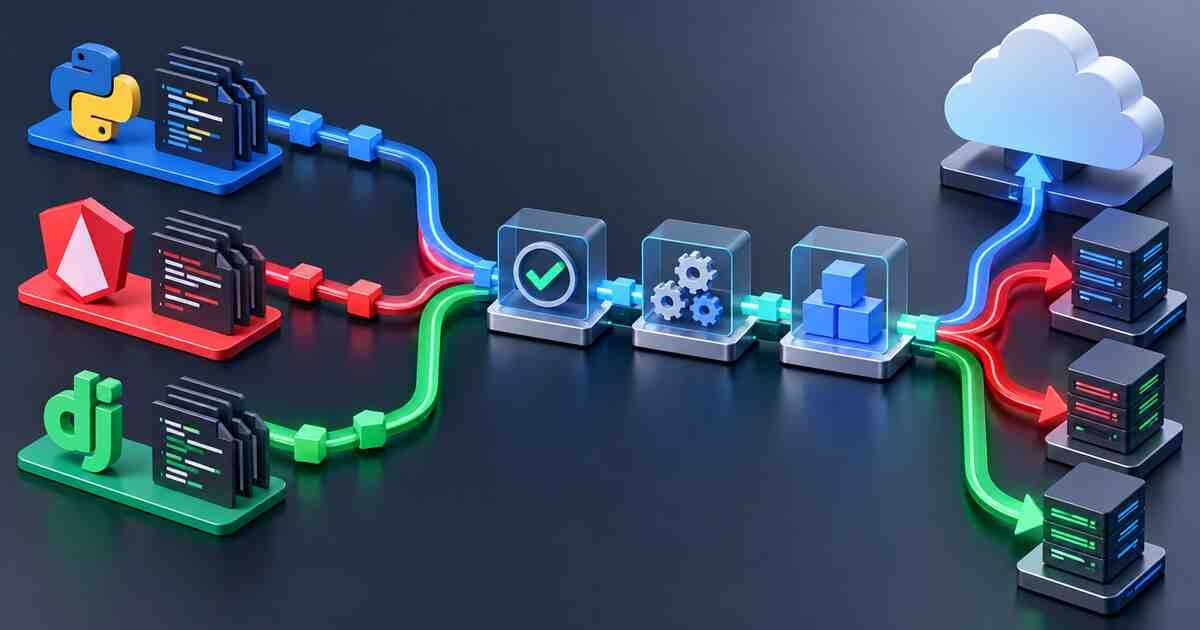
Python, Angular, and Django project pipelines converging on build and deploymentContents
GitLab CI/CD Pipeline Examples for Python, Angular, and Django Projects
Learn practical GitLab CI/CD pipeline examples for three common project types: Python, Angular, and Django. This guide covers lint, test, build, cache, artifacts, Docker image builds, deployment rules, variables, and best practices.
Table of contents
Quick answer
Common GitLab pipeline structure
Python pipeline example
Angular pipeline example
Django pipeline example
Cache and artifacts
Docker image examples
Deployment rules
Variables and secrets
Common mistakes
Best practices
Related Melochip guides
Quick answer
Python
Use pip, requirements files, pytest, linting, reports, and optional package artifacts.
Angular
Use npm ci, lint, unit tests, production build, and dist/ artifacts.
Django
Use pip, migrations check, tests, collectstatic, Docker image builds, and environment variables.
1. Common GitLab pipeline structure
Most project pipelines can start with a simple structure:
The exact commands change by project type, but the idea remains the same: validate code, run tests, build output, package if required, and deploy only when it is safe.
2. GitLab pipeline for Python project
A simple Python project may use requirements.txt , pytest , and optional lint tools such as ruff or flake8 .
deploy_development:
stage: deploy
script:
- echo "Deploying to development"
environment:
name: development
rules:
- if: '$CI_COMMIT_BRANCH == "develop"'
deploy_production:
stage: deploy
script:
- echo "Deploying to production"
environment:
name: production
rules:
- if: '$CI_COMMIT_BRANCH == "main"'
when: manual
- when: never
8. Variables and secrets
Variable
Project type
Recommended handling
DATABASE_URL
Django/Python backend
Masked/protected for real environments.
SECRET_KEY
Django
Masked/protected. Never commit to Git.
API_BASE_URL
Angular
Environment scoped if needed.
CI_REGISTRY_PASSWORD
Docker build
Use built-in GitLab registry variables where possible.
KUBE_CONFIG
Deployment
Use protected/file variable for production.
Common mistakes
Mistake
Problem
Better approach
No lock/dependency file
Builds become inconsistent.
Commit lock files where your ecosystem supports them.
Using cache as deployment output
Deploy job may miss required files.
Use artifacts for required output.
Skipping tests before Docker build
Broken code gets packaged.
Run lint/tests before packaging.
Hardcoding secrets
Credentials can leak.
Use GitLab CI/CD variables.
Automatic production deployment
Risky releases can go live.
Use manual protected production jobs.
Best practices
Keep project-specific commands in package scripts, Makefiles, or documented scripts.
Run lint and tests before building Docker images.
Use cache only for speed.
Use artifacts for build output and reports.
Use protected variables for production secrets.
Use branch rules and manual production deployments.
Use Docker image tags based on commit SHA or release version.
Keep CI/CD YAML readable and documented.
Screenshot checklist
Python pipeline showing lint and pytest jobs.
Angular pipeline showing production build and dist/ artifact.
Django pipeline showing migrations check and tests.
Docker image pushed to registry.
Manual production deployment button.
CI/CD variables page with values hidden.
GitLab CI/CD Learning Path
GitLab Pipeline for Node.js Project
GitLab CI/CD YAML Syntax Explained
GitLab Artifacts vs Cache Explained
GitLab CI/CD Docker Build Pipeline
GitLab CI/CD Best Practices for DevOps Teams
Official references
GitLab CI/CD YAML syntax reference
GitLab CI/CD cache documentation
GitLab job artifacts documentation
GitLab environments documentation
Conclusion
Python, Angular, and Django projects use different commands, but the GitLab CI/CD pattern is similar: validate, test, build, package, and deploy safely. Once you understand cache, artifacts, variables, Docker images, and deployment rules, you can adapt GitLab pipelines to almost any project type.







No comments yet. Start the discussion.