Cloud Computing AWSAzureCloudLearning Path

Article & Tutorial

Cloud Computing Learning Path: AWS, Azure, Terraform, Docker and Kubernetes

Follow a structured cloud computing learning path covering networking, Linux, AWS, Azure, Terraform, containers, Kubernetes, delivery pipelines, security and projects.

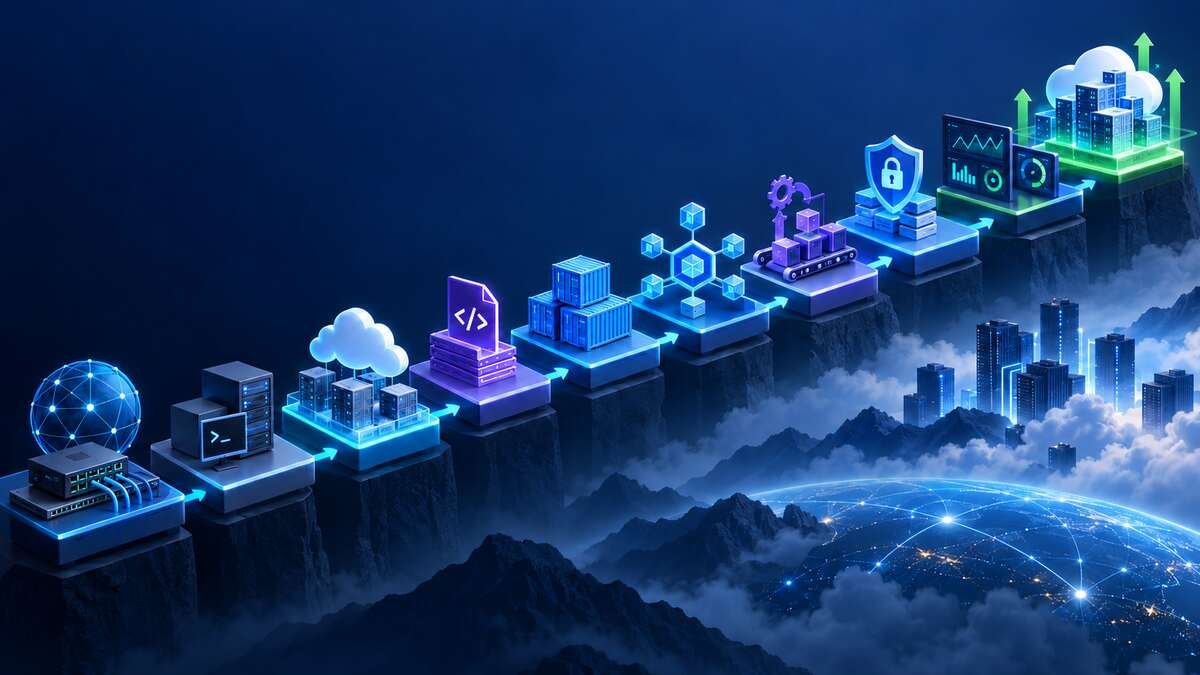
Cloud computing learning roadmap from networking and Linux through automation, containers, security and operations
Contents

Last reviewed: September 2026

This cloud computing learning path moves from core IT foundations to cloud architecture, infrastructure automation, containers, delivery pipelines, security, observability and portfolio-ready projects. Follow the phases in order and build something practical at each stage.

How to use this learning path

  1. Study the concepts in each phase.
  2. Complete a small hands-on lab before moving forward.
  3. Keep commands, diagrams and lessons learned in a version-controlled repository.
  4. Repeat the same design in a second cloud only after understanding the first implementation.
  5. Document cost, security and operational decisions for every project.

Phase 1: Networking foundations

  • IPv4 addressing and CIDR notation
  • Subnets and usable address calculations
  • Routing tables and default routes
  • DNS, DHCP and NAT
  • TCP, UDP, HTTP, HTTPS and TLS
  • Firewalls, security groups and network access controls
  • Load balancing, proxies and private connectivity

Outcome: design a small network with public and private subnets, explain every route, and calculate address capacity without relying on a calculator.

Phase 2: Linux and command-line skills

  • Users, groups and file permissions
  • Processes and services
  • Packages and repositories
  • Filesystems, mounts and storage
  • SSH and key-based access
  • Logs and troubleshooting
  • Shell scripting and environment variables

Outcome: provision a Linux server, secure SSH, operate a service and diagnose common storage, networking and permission failures.

Phase 3: Cloud fundamentals

  • Regions, zones and global services
  • Shared-responsibility model
  • Identity and access management
  • Compute, storage, networking and databases
  • Managed services and serverless computing
  • High availability, scalability and disaster recovery
  • Budgets, pricing models and resource tagging
CapabilityAWS exampleAzure exampleGoogle Cloud example
Virtual machineEC2Virtual MachinesCompute Engine
Object storageS3Blob StorageCloud Storage
Managed relational databaseRDSAzure SQL DatabaseCloud SQL
Identity and accessIAMMicrosoft Entra ID and Azure RBACCloud IAM
Managed KubernetesEKSAKSGKE

Choose one provider as the primary learning environment. Recreate selected labs in another provider later to understand which concepts are portable and which are platform-specific.

Phase 4: Identity and security

  • Users, roles, service identities and workload identity
  • Least privilege and separation of duties
  • Secrets, keys and certificate management
  • Encryption at rest and in transit
  • Network segmentation and private endpoints
  • Security logging and threat detection
  • Policy, compliance and guardrails

Outcome: deploy a workload without embedded credentials and demonstrate who can access each resource and why.

Phase 5: Infrastructure as Code

  • Declarative configuration
  • Providers, resources and data sources
  • Variables, outputs and local values
  • State, locking and remote backends
  • Modules and reusable patterns
  • Plans, reviews and controlled changes
  • Drift detection, imports and lifecycle management

Terraform Providers Explained

Outcome: create a repeatable network and compute environment from source-controlled configuration with remote state and a reviewed execution plan.

Phase 6: Version control and collaboration

  • Repositories, commits and branches
  • Pull requests and code review
  • Merge and rebase strategies
  • Tags and release history
  • Protected branches and required checks
  • Issue tracking and documentation

Essential Git and GitHub Commands

Outcome: manage infrastructure and application changes through a reviewed feature-branch workflow.

Phase 7: Containers

  • Images, layers and registries
  • Container networking and storage
  • Build contexts and ignore files
  • Multi-stage builds
  • Health checks and resource limits
  • Image scanning and software supply-chain basics
  • Runtime configuration and secret injection

Outcome: package an application into a small reproducible image, scan it, publish it to a private registry and run it with explicit configuration.

Phase 8: Kubernetes

  • Clusters, nodes and control plane
  • Pods, deployments and services
  • ConfigMaps and Secrets
  • Ingress and gateway patterns
  • Requests, limits and probes
  • Persistent storage
  • Namespaces, RBAC and network policy
  • Managed Kubernetes operations

Outcome: deploy a containerized application with health checks, resource controls, controlled ingress and a rollback strategy.

Phase 9: Continuous integration and delivery

  • Build, test and artifact stages
  • Pipeline as code
  • Automated security checks
  • Environment promotion
  • Protected secrets and runners
  • Approvals for sensitive deployments
  • Rollback and release evidence

Jenkins Installation, Pipelines and Best Practices

Outcome: commit a change and automatically build, test, scan and deploy it to a non-production environment.

Phase 10: Observability and operations

  • Metrics, logs and distributed traces
  • Dashboards and service-level indicators
  • Alerts and escalation
  • Capacity and performance analysis
  • Backup and restoration
  • Incident response and post-incident reviews
  • Patch, upgrade and lifecycle planning

Outcome: detect a simulated failure, identify its cause from telemetry, recover the service and document prevention steps.

Cost management throughout the path

  • Create budgets and alerts before deploying labs.
  • Tag resources by owner, environment and project.
  • Stop or delete idle resources promptly.
  • Compare managed services with self-managed operational cost.
  • Review data transfer, storage retention and logging costs.
  • Record estimated and actual cost for portfolio projects.

Recommended hands-on projects

  1. Static website with HTTPS, private object storage and a content-delivery layer.
  2. Highly available web application with load balancing and managed database.
  3. Infrastructure-as-code deployment using reusable modules and remote state.
  4. Containerized application deployed through an automated pipeline.
  5. Managed Kubernetes application with ingress, autoscaling and observability.
  6. Secure multi-environment platform with identity federation, policy and cost controls.

Portfolio evidence to keep

  • Architecture diagram and requirement summary
  • Source-controlled infrastructure and pipeline definitions
  • Security and cost decisions
  • Test and validation evidence
  • Monitoring dashboard and alert design
  • Failure scenario and recovery notes
  • Cleanup instructions and final cost report

Completion checklist

  • I can explain networking, identity, compute, storage and database foundations.
  • I can deploy and troubleshoot a Linux-based workload.
  • I can provision infrastructure repeatably through code.
  • I can package and orchestrate containers.
  • I can build a reviewed delivery pipeline.
  • I can secure credentials and apply least privilege.
  • I can monitor, recover and control the cost of a workload.

Did this help?

Yes No

Join the discussion

0 Comments

Ask questions, add context, or share what worked.

Sign in to join the discussion

No comments yet. Start the discussion.

More from Melochip Editorial

Related articles

Stay in the loop. Get new Melochip articles

Receive Melochip article updates when new articles are available. Explicit opt-in only.

No pre-checked boxes. Unsubscribe support is part of the subscriber foundation.