Kubernetes API coordinating Nodes, Pods, and an internal ServiceContents
Kubernetes is a platform for coordinating containerized workloads and services. This beginner guide gives you the mental model and decision context needed to choose a sensible next step without turning the introduction into an architecture manual or command reference.
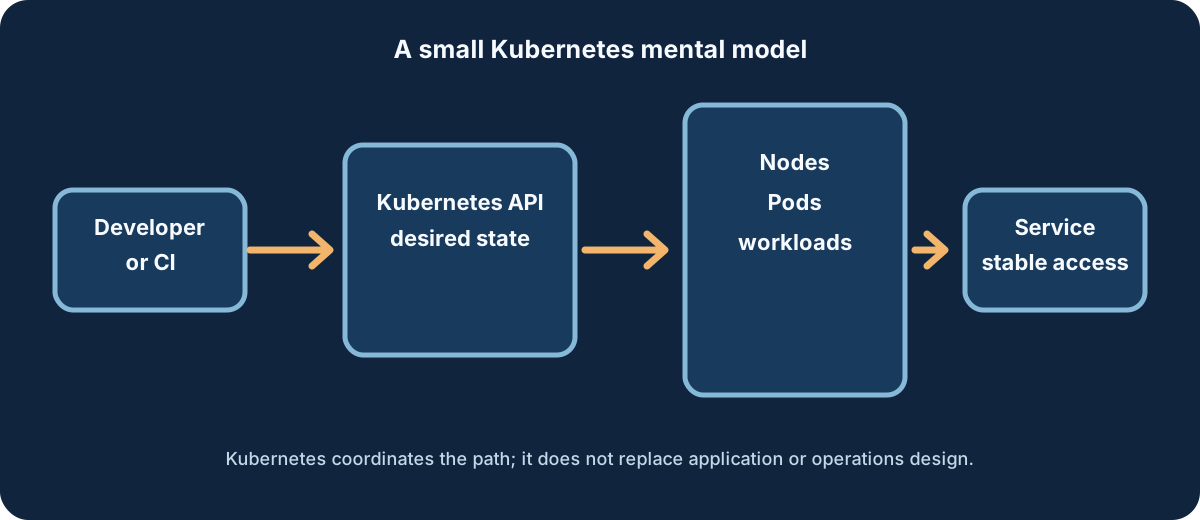
A simplified mental model: Kubernetes coordinates desired workloads and service access; it does not imply every internal component communicates directly.
Kubernetes in one sentence
Kubernetes is an orchestration platform that accepts a desired description of containerized workloads, schedules Pods onto Nodes, and continuously reconciles the running cluster toward that description through an API.
The problem Kubernetes solves
Running one container can be straightforward; keeping many workloads consistent across machines, releases, failures, and teams is harder. Kubernetes supplies shared workload APIs and controllers for placement, replacement, service discovery, configuration, and controlled change. Those primitives reduce repeated coordination work, but they do not remove the need for design and operations.
Containers versus Kubernetes
A container runtime runs containers. Kubernetes coordinates workloads through Pods and higher-level controllers, using the Container Runtime Interface (CRI) to work with compatible runtimes. Docker knowledge remains useful for building and understanding images, but Docker Engine is not a universal Kubernetes runtime requirement; the removal of dockershim should not be confused with an inability to run OCI-compatible images.
The desired-state model
You describe what should exist—such as two replicas with a particular image and label. Kubernetes stores that intent through its API. Controllers compare the desired state with observed state and take bounded actions to close the gap. A successful apply records intent; it is not proof that the application is healthy, secure, observable, or useful to its users.
Essential concepts
A cluster is the Kubernetes-managed environment containing a control plane and Nodes.
The control plane exposes the API and coordinates decisions; its internal components belong in the Architecture article.
A Node provides compute capacity for workloads.
A Pod is the smallest deployable unit and can contain one or more tightly coupled containers.
A Deployment describes a managed set of interchangeable Pod replicas and their rollout intent.
A Service provides a stable virtual endpoint and selects matching Pods.
A Namespace is a scope boundary for many namespaced resources.
ConfigMaps hold non-secret configuration; Secrets are intended for sensitive values but still require access control, handling discipline, and an appropriate secret-management design.
What happens when an application is deployed
1
Describe intent
A reviewed manifest declares a namespace, workload, image, labels, resources, and Service relationship.
2
Send intent to the API
An authorized client submits the objects; admission and policy may validate or reject them.
3
Schedule Pods
Kubernetes finds suitable Node capacity for the Pods described by the workload controller.
4
Reconcile and expose
Controllers and Node agents work toward the declaration, while a Service selects ready endpoints for in-cluster access.
5
Observe and improve
Operators verify rollout, health, logs, metrics, events, and application behavior, then make reviewed changes.
What Kubernetes provides
Declarative workload management and reconciliation.
Scheduling of Pods onto available Node capacity.
Replacement and self-healing primitives when managed workloads drift or fail.
Scaling primitives for replica counts and autoscaling controllers.
Service discovery and load distribution through stable Service abstractions.
Configuration primitives such as ConfigMaps, Secrets, and Namespace scoping.
Rollout management through workload controllers.
An extensible API and resource model for platform capabilities.
What Kubernetes does not provide automatically
Kubernetes does not build application source code, replace a CI/CD pipeline or source repository, supply a complete observability stack, guarantee database high availability, choose a backup or disaster-recovery strategy, design security policy, control costs, or provide an organizational operating model. It also does not make every application highly available or eliminate operations work. Sound application, infrastructure, and security design remain necessary.
When Kubernetes is a good fit
Kubernetes can be a strong fit when a team runs multiple containerized services, needs repeatable deployments and workload scaling, values a consistent declarative platform API, or operates across environments where standardization pays for its complexity. The benefit is a shared operating model, not a promise that every workload becomes simple.
When Kubernetes may be unnecessary
A small static site, an application already well served by a managed platform, or a team without capacity for cluster operations may not benefit from Kubernetes yet. A simpler service can be the better engineering choice when orchestration features do not offset their operational cost. Revisit the decision as workload count, reliability needs, and team capacity change.
A minimal safe example
The example uses one namespace, a Deployment, and an internal ClusterIP Service. It has matching selectors, an explicit image version, bounded resources, no credentials, no public exposure, no privileged settings, no hostPath, and no root-capability example. Replace the placeholder image only after reviewing its provenance and cluster policy.
kubectl apply --namespace=kubernetes-demo -f hello-web.yaml
kubectl get deployment, pods, service -n kubernetes-demo
kubectl rollout status deployment/hello-web -n kubernetes-demo
# Cleanup is destructive; review the namespace before running it.
kubectl delete namespace kubernetes-demo
Learning prerequisites
Kubernetes learning sequence
Follow this order: start with the foundation, then move into architecture, Pods, and kubectl operations. The links are planned canonical post paths and remain private until each destination is eligible for public discovery.
1. What Is Kubernetes? — this foundational overview.
2. Kubernetes Architecture Explained — control plane, Nodes, request flow, and scheduling.
3. Kubernetes Pods Explained — Pod structure, lifecycle, configuration, and YAML.
Kubernetes is not simply Docker at scale; it coordinates Pods and controllers around an API.
Kubernetes does not directly treat individual containers as its primary scheduling unit.
Kubernetes does not automatically secure every workload or guarantee zero downtime.
Kubernetes is not tied to one cloud and does not always require many Nodes.
Kubernetes is not mandatory for every small application, but it can be valuable when its operating model fits the work.
Next steps
Before applying anything, choose a disposable namespace and read the specialized guide that matches your question. If you need internal mechanics, continue to Architecture. If you need Pod behavior, continue to Pods. If you need commands, continue to kubectl. Keep production decisions separate from a beginner lab.
Conclusion
Kubernetes is a powerful coordination layer for containerized workloads, built around an API, desired state, reconciliation, Pods, Nodes, and Services. Its value depends on the problem and the team's ability to operate it. Use this foundation to decide whether Kubernetes fits, then learn its architecture, workload model, and command-line workflows in sequence.








No comments yet. Start the discussion.