Search articles, utilities, learning content, community Q&A, members, tags, and topics.
Start with
Search areas
Choose an area such as Articles, Utilities, Community Q&A, Learning, Members, or Tags & topics.
Article & Tutorial
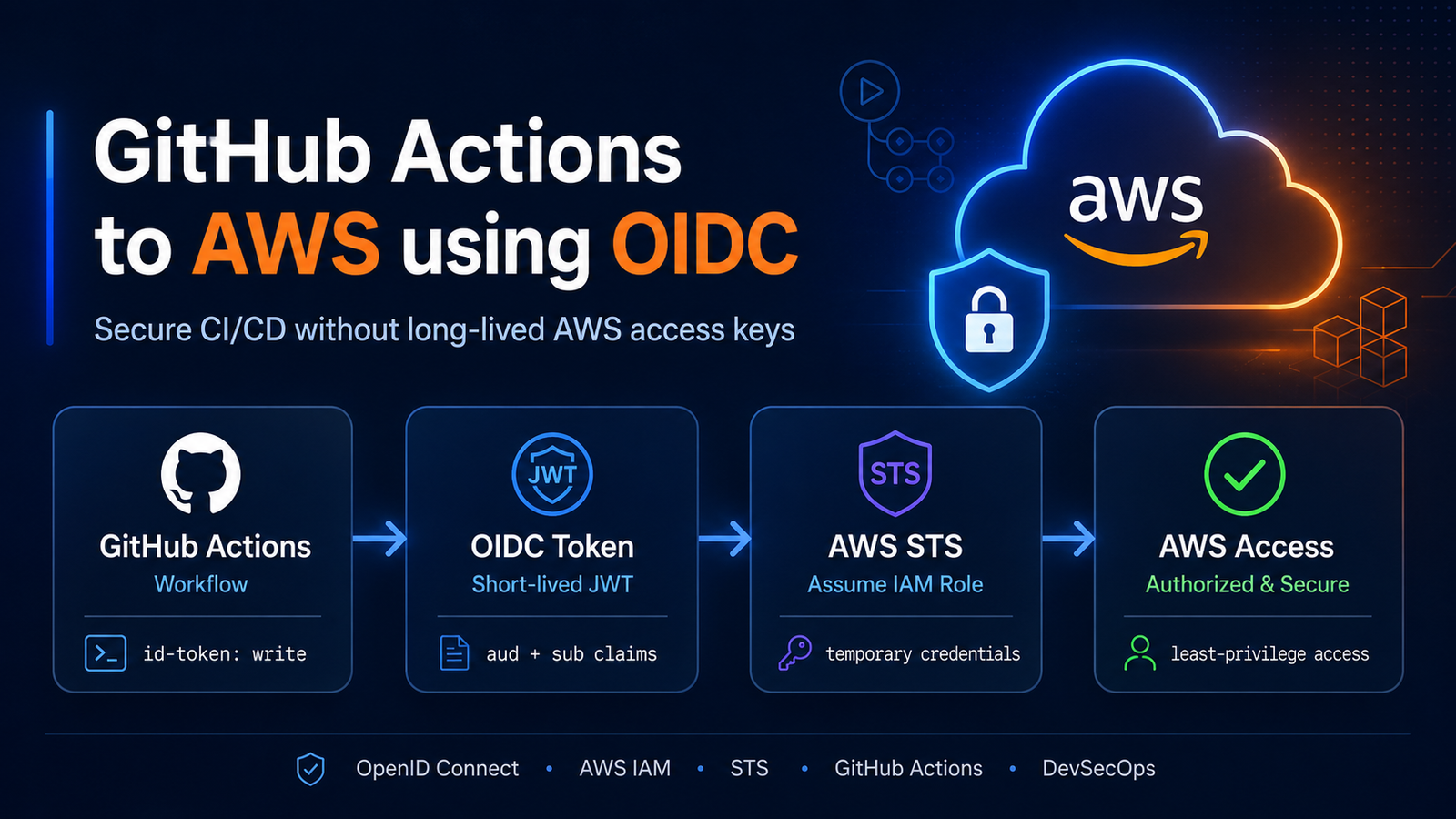
GitHub Actions to AWS Using OIDC: Secure AWS Connectivity Without Access Keys
Learn how to securely connect GitHub Actions to AWS using OpenID Connect (OIDC), IAM roles, and AWS STS without storing long-lived AWS access keys in GitHub Secrets. Includes architecture, IAM trust policies, workflow YAML, security best practices, troubleshooting, and real deployment examples.
GitHub Actions connecting to AWS securely with OIDC and IAM rolesContents
GitHub Actions often needs AWS access for CI/CD deployments. Traditional IAM user access keys are long-lived credentials that must be stored, rotated, audited, and protected. OpenID Connect replaces those secrets with short-lived AWS STS role credentials scoped by repository, branch, and environment.
What You Will Learn
What OIDC is
How GitHub Actions communicates with AWS STS
Creating the GitHub OIDC provider
Creating the IAM role
Repository and branch trust restrictions
GitHub Actions workflow configuration
Testing AWS connectivity
Security best practices
Troubleshooting
What Is OIDC?
OpenID Connect is an identity layer on top of OAuth 2.0. In this workflow, GitHub acts as the identity provider and issues a signed JWT to a GitHub Actions job.
AWS IAM trusts the GitHub OIDC provider and AWS STS validates the token during AssumeRoleWithWebIdentity. If the issuer, audience, repository, branch, or environment claim matches the IAM trust policy, STS returns temporary credentials for the role.
Traditional Access Keys vs OIDC
Traditional Access Keys
Credential type: IAM user access key and secret key
Storage in GitHub Secrets: required
Rotation: manual or separately automated
Exposure risk: long-lived credential can be reused if leaked
Repository restrictions: enforced outside the credential itself
CI/CD recommendation: avoid for production deployments when OIDC is available
OIDC
Credential type: short-lived AWS STS role credentials
Storage in GitHub Secrets: not required for AWS keys
Rotation: credentials expire automatically
Exposure risk: temporary and scoped by trust policy
Repository restrictions: built into IAM token claims
CI/CD recommendation: preferred for GitHub Actions to AWS deployments
GitHub Actions to AWS OIDC Architecture
Step 1: Create the GitHub OIDC Identity Provider in AWS
In AWS IAM, create an identity provider for GitHub Actions. The console path is IAM -> Access management -> Identity providers -> Add provider.
Create a Web Identity role that GitHub Actions can assume after AWS STS validates the OIDC token. Use names that identify the application, environment, and deployment purpose.
OIDC for GitHub Actions is machine workflow authentication. AWS IAM Identity Center is for human workforce authentication and access management. Use the right model for the actor that needs access.
Frequently Asked Questions
Do I need AWS access keys?
No. With OIDC, GitHub Actions can request short-lived credentials from AWS STS without storing AWS access keys in GitHub Secrets.
Do I need an IAM user?
No IAM user is required for the GitHub Actions workflow. The workflow assumes an IAM role through the configured OIDC provider.
Do I need one OIDC provider per repository?
No. One GitHub OIDC provider can support multiple repositories. Repository scoping belongs in each role trust policy.
Can multiple repositories use OIDC?
Yes. Add the appropriate repository subjects to role trust policies, or create separate roles for clearer boundaries.
Can the same repository deploy to multiple accounts?
Yes. Configure roles in each AWS account and have the workflow assume the account-specific role for each deployment target.
Conclusion
GitHub Actions to AWS OIDC is a safer default for CI/CD because credentials are temporary, scoped, and audited through AWS STS and CloudTrail.
List item
text
Developer pushes code
        |
        v
GitHub Repository
        |
        v
GitHub Actions Workflow
        |
        | Requests OIDC JWT
        v
GitHub OIDC Provider
https://token.actions.githubusercontent.com
        |
        v
AWS IAM / AWS STS
        |
        | Validates audience + subject
        v
AssumeRoleWithWebIdentity
        |
        v
Temporary AWS Credentials
        |
        v
CloudFormation / S3 / ECR / ECS / Lambda / Terraform







No comments yet. Start the discussion.